Professional Headshots for LinkedIn: The 2026 Guide to Getting Noticed by Recruiters
Matthieu van Haperen
Founder & CEO, TeamShotsPro · Updated Feb 2026
TL;DR: Quick Answer
LinkedIn profiles with a professional headshot get 14x more profile views and 36x more messages from recruiters. Yet most professionals treat their LinkedIn photo as an afterthought — uploading a cropped vacation shot or a five-year-old selfie. This guide covers the exact technical specs LinkedIn requires (400 x 400px minimum, 1:1 ratio), the six elements that separate high-performing headshots from forgettable ones, LinkedIn-specific mistakes that tank your visibility, and how AI headshot generators now deliver studio-quality results for under $20. For a broader overview of professional headshots beyond LinkedIn, see our complete professional headshots guide.
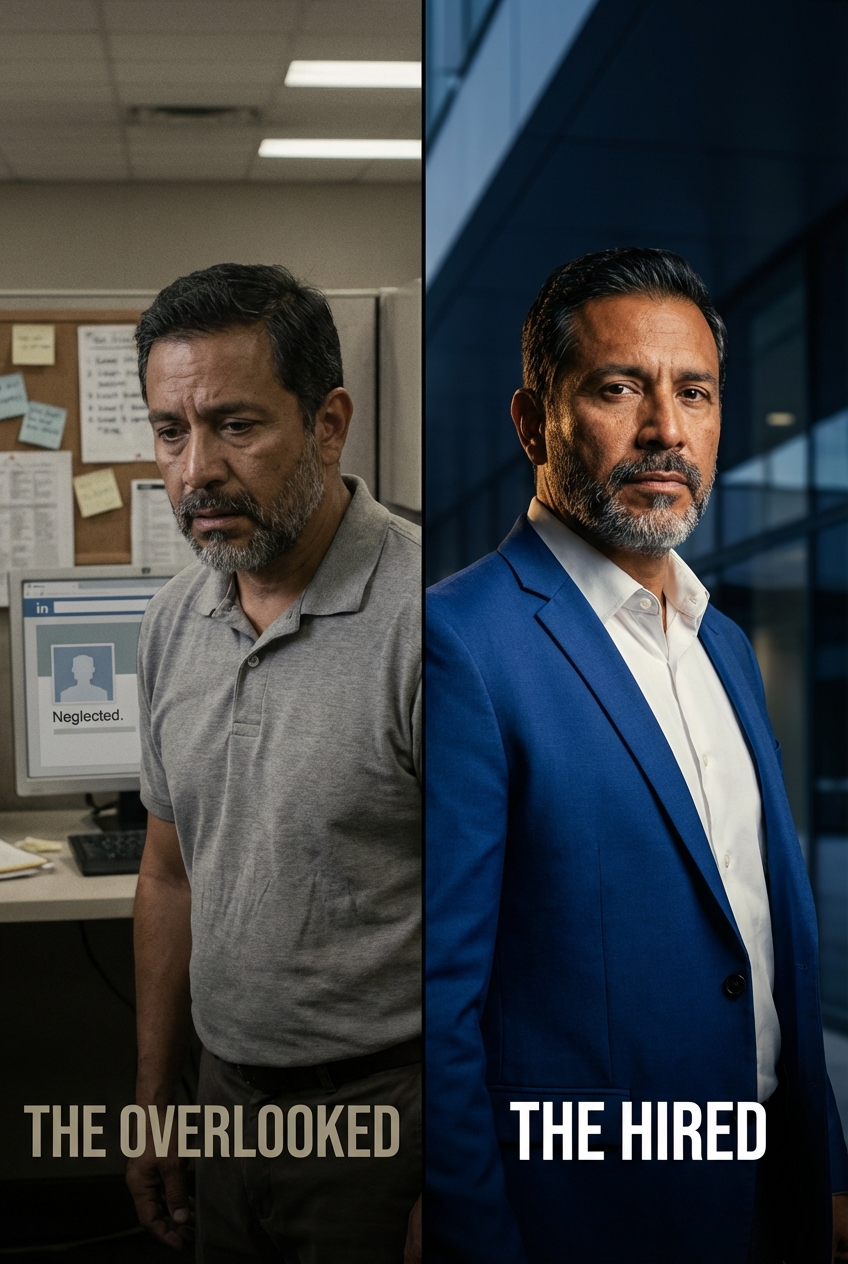
Why Your LinkedIn Photo Is Your Most Important Career Asset
Three million people get hired through LinkedIn every month. That's roughly seven people every minute. But before any of them received an offer, a recruiter looked at their profile — and 86% of those recruiters spent 30 seconds or less making an initial judgment.
In that half-minute window, your headshot does most of the talking. It's the first visual element recruiters notice, and it anchors every impression that follows. According to LinkedIn's own research, profiles with a professional photo receive 21x more views than those without. Other LinkedIn data puts the multiplier at 21x for views and 36x for recruiter messages.
The psychology behind this is well-documented. Researchers call it "thin-slicing" — the human tendency to make snap judgments from minimal information. A landmark Princeton study found that people form trustworthiness judgments after just 100 milliseconds of exposure to a face. On LinkedIn, your headshot is often the only visual cue on a profile, which means it carries an outsized share of thin-slicing power. Add the halo effect (the cognitive bias where we associate attractiveness with competence) and it's clear: your LinkedIn photo isn't just a nice-to-have. It's the difference between being found and being skipped.
This matters even more in 2026. LinkedIn's algorithm has shifted toward interest-based distribution, meaning your content reaches people who don't already follow you. When a stranger encounters your profile for the first time, the headshot is your handshake.
LinkedIn Photo Specs: The Technical Requirements You Need to Nail
Getting the creative direction right means nothing if your photo doesn't meet LinkedIn's technical specs. Here's exactly what the platform requires in 2026:
Dimensions and format:| Spec | Requirement |
|---|---|
| Minimum size | 400 x 400 pixels |
| Maximum size | 7680 x 4320 pixels |
| Recommended upload | 800 x 800 pixels |
| Aspect ratio | 1:1 (square) |
| Max file size | 8 MB |
| Accepted formats | JPEG, PNG, GIF (static) |
Your photo displays as a circle, which means the corners of your square image get cropped. Keep your face centered and leave breathing room around the edges — anything in the outer 10-15% of the frame may get clipped on different devices.
On desktop, your photo renders at roughly 200 x 200 pixels in search results and 400 x 400 on your profile page. On mobile, it's even smaller in feeds. This means fine details (small text on a name badge, intricate jewelry) disappear at display size. Your expression and the overall composition need to read clearly even at thumbnail scale.
Pro tip: Upload at 800 x 800 pixels rather than the minimum 400 x 400. LinkedIn compresses images on upload, and starting with a higher-resolution original gives you a sharper result after compression. Avoid going above 2000 x 2000 — the extra pixels add file size without visible benefit.Six Elements That Separate High-Performing LinkedIn Headshots from Forgettable Ones
After analyzing thousands of LinkedIn profiles across industries, here are the six elements that consistently correlate with higher profile engagement:
1. Face takes up 60-70% of the frame
LinkedIn headshots that fill 60-70% of the frame with the face and upper shoulders perform best. Too far away and your expression becomes unreadable at thumbnail size. Too close and it feels uncomfortably intimate. The sweet spot is a head-and-shoulders crop where your face is clearly the focal point.
2. Direct eye contact with a natural expression
Profiles where the subject looks directly into the camera outperform angled or averted-gaze shots. Direct eye contact signals confidence, competence, and trustworthiness — exactly what recruiters are screening for. Pair it with a natural, slight smile (not a forced grin) to add warmth without undermining authority.
The biggest mistake here is the "passport photo" expression: flat, emotionless, stiff. You want to look like someone a recruiter would enjoy having a video call with.
3. Clean, non-distracting background
Neutral backgrounds in white, light gray, or soft blue consistently outperform busy or environmental backgrounds on LinkedIn. Your face should be the visual anchor, not the bookshelf behind you or the trendy exposed-brick wall.
There are exceptions: if your industry rewards personality (creative agencies, media, startups), a tasteful environmental background can differentiate you. But for finance, law, healthcare, consulting, and most corporate roles, clean backgrounds win.
4. Clothing that matches your target role
Dress for the job you want recruiters to contact you about, not the job you have now. If you're targeting senior leadership roles in financial services, wear a dark suit. If you're in tech, a clean button-down or well-fitted casual top works. If you're in a creative field, show personality — but make sure the clothing doesn't upstage your face.
For detailed industry-specific wardrobe guidance, see our professional headshots by industry guide.
5. Professional lighting (the #1 quality signal)
Lighting is the single biggest differentiator between amateur and professional headshots. Flat, overhead fluorescent light screams "webcam screenshot." Harsh direct flash creates unflattering shadows. Professional lighting — whether from a studio setup or well-positioned window light — creates depth, dimension, and a polished look that signals quality instantly.
You don't need a studio to get this right. Sitting near a large window with indirect sunlight, facing the window so the light hits your face evenly, produces surprisingly good results. For more on lighting and other technical tips, see our professional headshot tips guide.
6. High resolution and sharp focus
Blurry, pixelated, or over-compressed headshots signal carelessness. Your LinkedIn photo should be tack-sharp on the eyes, with clean color and no visible compression artifacts. If your current photo looks grainy on a phone screen, it's costing you clicks.
Five LinkedIn-Specific Mistakes That Tank Your Visibility
These errors go beyond "bad photo." They're LinkedIn-specific behaviors that actively hurt your profile performance:
Mistake 1: No photo at all
This is the most damaging move on LinkedIn. Profiles without a photo get a fraction of the views, and many recruiters skip them entirely. A missing photo suggests a dormant or fake account. If privacy is a concern, even a professional silhouette or logo is better than the default gray outline — but a real headshot is far better.
Mistake 2: A photo that doesn't match your appearance
Recruiters who reach out based on your LinkedIn photo expect to see the same person on a video call. If your headshot is five years old, 30 pounds ago, or from before your current hairstyle, the mismatch creates a trust gap right at the start. Update your photo every 1-2 years or after any significant appearance change.
Mistake 3: Cropped group photos
We've all seen them — a headshot where you can see someone else's arm, a wine glass just out of frame, or a background that clearly belongs to a wedding reception. Cropped group photos communicate that you didn't care enough to take a dedicated headshot. The fix takes less than a minute with an AI headshot generator.
Mistake 4: Too-casual photos for your industry
A beach selfie works fine for a personal Instagram. On LinkedIn, it tells recruiters you may not understand professional norms. The standard varies by industry — tech is more relaxed than banking — but your LinkedIn photo should always be at least as formal as what you'd wear to a client meeting.
Mistake 5: Ignoring the circular crop
LinkedIn displays your photo as a circle. If your headshot was composed as a square or rectangle without accounting for the circular crop, key elements might get cut off — the top of your head, your shoulders, or your jawline. Always preview your photo in LinkedIn's circular frame before publishing.
Professional headshots from $10.49
Upload a selfie. Get studio-quality headshots in 60 seconds.
Upload a Selfie → Get Team HeadshotsTraditional Photography vs. AI for LinkedIn Headshots
You have two paths to a professional LinkedIn headshot: hire a photographer or use an AI headshot generator. Here's how they compare for LinkedIn specifically:
| Factor | Traditional Photography | AI Headshot Generator |
|---|---|---|
| Cost | $150–$500 per session | $10.49–$29.99 per person |
| Time to results | 1–3 weeks (session + editing) | Under 60 seconds |
| Input required | In-person session (30–90 min) | Upload 1 selfie |
| Variations received | 5–20 edited photos | 40–200+ variations |
| Background options | Whatever the studio has | Multiple digital backgrounds |
| Outfit changes | Bring them to the session | AI generates different outfits |
| Consistency (for teams) | Depends on scheduling everyone | Identical quality for every person |
| LinkedIn optimization | Photographer may not know specs | Platforms like TeamShotsPro output LinkedIn-ready sizes |
For a deeper look at how AI headshots work, see our complete AI professional headshots guide
Not sure which platform to pick? See our 2026 comparison of the 8 best AI headshot generators.For a complete cost breakdown of both options, see our professional headshots cost guide.
How LinkedIn's Algorithm Rewards Professional Profiles
LinkedIn doesn't publicly confirm that its algorithm favors profiles with professional headshots. But the data tells a clear story, and the mechanism is straightforward:
More views → more engagement → more algorithmic distribution. Profiles with professional headshots get 14x more views. More views mean more connection requests, endorsements, and profile interactions. LinkedIn's algorithm interprets this activity as a signal that your profile is relevant and active, which feeds even more visibility.In 2026, LinkedIn's algorithm has moved toward interest-based distribution. That means your profile appears in front of people who don't yet follow you but share professional interests. When these strangers see your profile for the first time, the headshot is the first trust signal they evaluate.
There's also a compounding effect: updating your LinkedIn photo triggers a profile update notification to your network. LinkedIn treats profile changes as engagement signals, temporarily boosting your visibility in search results and feeds. Professionals who update their photo along with a job status change see up to 3x higher network engagement.
Practical takeaway: Updating your LinkedIn headshot isn't just about looking better. It's an algorithmic lever that increases your discoverability. Time your photo update strategically — pair it with a new role, certification, or career milestone for maximum visibility.Your LinkedIn Headshot Checklist
Before you upload, run through this checklist:
- [ ] Image is at least 800 x 800 pixels, square (1:1) format
- [ ] Face fills 60-70% of the frame
- [ ] Direct eye contact with a natural, approachable expression
- [ ] Clean, neutral background (white, gray, or soft blue)
- [ ] Clothing matches the industry you're targeting
- [ ] Even, professional lighting — no harsh shadows or flat fluorescent light
- [ ] Sharp focus on the eyes, no blur or visible compression
- [ ] Photo is current (taken within the last 1-2 years)
- [ ] Photo looks good in LinkedIn's circular crop (no cut-off heads)
- [ ] File is JPEG or PNG, under 8MB
Get a LinkedIn-Ready Headshot in 60 Seconds
Your LinkedIn photo is working for you 24/7 — or it's working against you. TeamShotsPro generates professional headshots optimized for LinkedIn's specs from a single selfie.
Upload a selfie. Choose from 40+ professional variations. Download in the exact dimensions LinkedIn requires.
Try TeamShotsPro →Related Reading
- What Are Professional Headshots? Full Guide
- Professional Headshot Tips: Studio Quality Fast — Lighting, posing, expression, and wardrobe tips
- Professional Headshots Cost Breakdown — Pricing for traditional and AI photography
- Professional Headshots by Industry — Industry-specific dress codes and styling
- AI Professional Headshots Guide
Frequently Asked Questions
What size should a LinkedIn profile photo be in 2026?▼
LinkedIn recommends 400 x 400 pixels minimum with a 1:1 aspect ratio. You can upload up to 7680 x 4320 pixels (8MB max). For the sharpest display across all devices, upload at 800 x 800 pixels in JPEG or PNG format.
Can recruiters tell if I used an AI headshot on LinkedIn?▼
In most cases, no. Modern AI headshot generators using diffusion models produce results that are indistinguishable from traditional studio photography. LinkedIn itself has not stated any policy against AI-generated headshots, and millions of professionals already use them. The key is choosing a quality platform — cheaper generators sometimes produce over-smoothed skin or mishandle accessories like glasses.
How often should I update my LinkedIn headshot?▼
Update your LinkedIn headshot every 1-2 years, or immediately after a significant appearance change (new hairstyle, glasses, weight change). Outdated photos erode trust when recruiters meet you on video calls and you don't match your photo. Bonus: updating your photo triggers a visibility boost in LinkedIn's algorithm.
Does changing my LinkedIn photo affect my profile visibility?▼
Yes. LinkedIn's algorithm treats profile updates as engagement signals. Updating your photo can trigger increased visibility in search results and your network's feed. Profiles that update their photo along with job status changes see up to 3x higher engagement.
Should I use LinkedIn's "Open to Work" photo frame?▼
It depends on your situation. The green "Open to Work" frame increases recruiter outreach but signals to your current employer that you're looking. LinkedIn offers a recruiter-only visibility option that notifies recruiters without broadcasting it to your entire network. Use the public frame if you're openly job searching; use the recruiter-only option if you want to be discreet.
What background color works best for LinkedIn headshots?▼
Neutral tones — white, light gray, and soft blue — perform best across industries. They keep focus on your face, look clean at thumbnail size, and don't clash with LinkedIn's blue-and-white interface. Avoid red (reads as aggressive), black (too dramatic for most industries), and busy environments.
Should my LinkedIn photo match my resume headshot?▼
Ideally, yes. Consistency across your professional materials (LinkedIn, resume, company website, email signature) builds recognition and trust. If a recruiter sees your resume and then checks your LinkedIn, a matching headshot reinforces your credibility.
Ready to get started with TeamShotsPro?
Generate professional AI headshots in 60 seconds.
Upload a Selfie → Get Team Headshots
About the Author
Founder & CEO, TeamShotsPro
Matthieu van Haperen runs TeamShotsPro, where he has helped hundreds of teams get professional AI headshots. Before founding TeamShotsPro, he spent 6+ years building and scaling tech startups. He writes about professional photography, team branding, and how AI is reshaping corporate imagery.
Connect on LinkedIn →