What to Wear for Professional Headshots: The Complete 2026 Style Guide
Matthieu van Haperen
Founder & CEO, TeamShotsPro · Updated Feb 2026
TL;DR: Quick Answer
Your clothing is the second thing people notice in a headshot — right after your face. Navy blue and charcoal gray are the safest colors across all industries. Solid fabrics outperform patterns (which can create moiré distortion on camera). V-necklines elongate the neck and frame the face better than crew necks. Fit matters more than price — a well-tailored $50 blazer photographs better than an expensive ill-fitting one. And with AI headshot generators, your outfit is no longer a limitation: platforms like TeamShotsPro can generate professional variations in different outfits from a single selfie. For a broader overview of professional headshots, see our complete professional headshots guide.
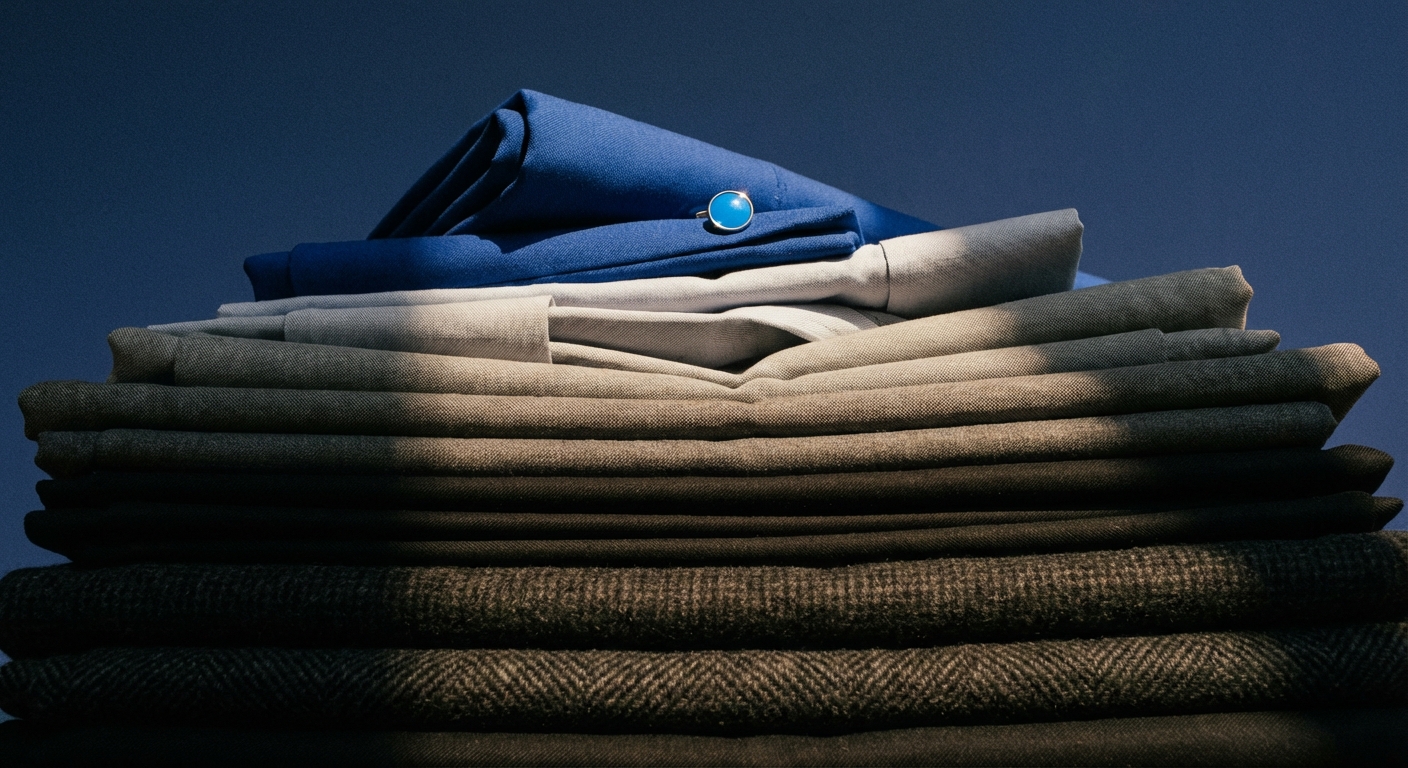
Why What You Wear Matters More Than You Think
When someone looks at your headshot — on LinkedIn, your company's website, or an email signature — they process your clothing before they read a single word about you. Research on first impressions shows people form judgments about competence, trustworthiness, and status within milliseconds, and clothing is one of the dominant visual cues in that snap assessment.
In a headshot, the challenge is amplified: you're working with a single, still image cropped to your head and shoulders. There's no body language, no voice, no handshake. Your clothing carries the entire weight of communicating who you are professionally.
The good news: getting it right isn't complicated. It's about understanding a few principles — the right colors, the right fabrics, the right fit, and avoiding a handful of common mistakes that trip up even experienced professionals.
Your clothing works together with your background to create the overall impression. For guidance on choosing the right backdrop for your industry, see Headshot Background Ideas: What Works by Industry.
The Color Psychology Cheat Sheet
Color is the most impactful wardrobe decision you'll make for your headshot. Each color sends a subconscious signal, and the right choice can reinforce exactly the professional message you want to project.
The Power Tier: Colors That Work for Everyone
Navy blue is the single most recommended color for professional headshots, and it's not close. Blue is the most universally liked color across cultures and demographics. In a professional context, navy projects trust, stability, intelligence, and competence — exactly the qualities recruiters and clients are looking for. It works on every skin tone, pairs with virtually any background, and never goes out of style. Charcoal gray is the second-safest choice. It's neutral without being boring, signals sophistication and reliability, and won't clash with anything. It's particularly effective for tech, engineering, and academic professionals who want to project quiet competence rather than corporate authority. Black reads as power, authority, and elegance — but use it strategically. All-black can look severe and one-dimensional on camera, especially on darker backgrounds. The fix: pair a black blazer with a lighter inner layer (white, light blue, or a jewel tone) to add depth and prevent the look from becoming a dark void.The Personality Tier: Colors That Add Character
Burgundy and wine red convey confidence and warmth without the intensity of bright red. These jewel tones photograph beautifully and are a smart choice for speakers, consultants, and anyone in a client-facing role who wants to stand out while staying polished. Emerald green signals growth, balance, and prestige. Darker greens work particularly well for wellness, sustainability, and finance professionals. On camera, green adds visual interest without competing with your face for attention. Deep teal sits between blue and green, combining the trust of blue with the freshness of green. It's an underused choice that photographs exceptionally well and helps you differentiate from the sea of navy headshots. Plum and deep purple communicate creativity, wisdom, and luxury. They're a strong choice for thought leaders, creatives, and professionals in roles where innovation matters.Colors to Use Carefully
Bright red grabs attention but can dominate the frame and read as aggressive in conservative industries. If red is your power color, opt for a muted or deeper shade — burgundy, crimson, or wine — and use it as an accent rather than the primary piece. Pure white is the most common wardrobe mistake in headshots. Under studio lighting, white can blow out (overexpose), becoming the brightest element in the image and pulling the viewer's eye away from your face. White also bounces light onto your neck and chin, broadening the appearance of your lower face. If you love white, go with off-white or cream, or layer a white shirt under a darker blazer so only the collar is visible. Yellow and orange can wash out lighter skin tones and create color casts on your face. If you want warmth, reach for mustard or burnt orange instead — these muted versions photograph much better. Neon and highly saturated colors reflect onto your skin and can create unflattering color casts, especially under studio lighting. They're best avoided entirely.Matching Colors to Your Skin Tone
The general principle: wear colors that complement, but don't match, your natural skin tone. You want contrast between your clothing and your complexion.
Warm undertones (golden, peachy, or olive skin): Earth tones, warm reds, olive green, mustard, camel, and warm grays work best. Navy blue remains universal. Cool undertones (pink or bluish-red hues, veins that appear blue or purple): Jewel tones like emerald, sapphire, plum, and cool grays flatter cool skin. Bright white can wash you out — go for soft gray or ice blue instead. Neutral undertones (a mix of warm and cool): You have the most flexibility. Most colors work, with navy, charcoal, teal, and burgundy being the most photogenic. Darker skin tones benefit from at least one lighter-colored element for contrast — a white collar under a dark blazer, or a light blue shirt. All-dark outfits can reduce visual definition. Jewel tones (royal blue, emerald, deep purple) are particularly striking. Lighter skin tones should avoid pastels that are too close to their skin tone, as these can make you look washed out. Medium to dark colors provide the best contrast and draw the viewer to your face.Fabric Rules: What Cameras Love (and Hate)
Not all fabrics are created equal on camera. What looks great in a mirror can become a problem under studio lighting or a digital sensor.
Fabrics That Photograph Well
Matte cotton and cotton blends are the gold standard for headshots. They absorb light evenly, don't create distracting highlights, and hold their shape. Wool and wool blends (for suits and blazers) photograph beautifully — they drape well, hold structure, and create a polished silhouette. Matte silk and crepe add subtle richness without shine. They're a smart choice for blouses and dress shirts when you want a premium look.Fabrics to Avoid
Shiny or satiny materials create hot spots (bright reflections) under studio lighting. These highlights pull the viewer's eye away from your face and look cheap on camera even when the garment is expensive. Thin, see-through fabrics can look awkward or unprofessional on camera, especially under bright lighting. Heavily textured knits (cable knit, chunky weave) add visual bulk and can make your upper body look larger than it is.The Moiré Problem: Why Some Patterns Are Impossible on Camera
Here's a technical issue most people don't know about: digital camera sensors create a grid pattern when capturing images. When your clothing has its own fine, repeating pattern — tight stripes, herringbone, houndstooth, small polka dots, or tightly woven textures — the two patterns interfere with each other, creating a visual shimmer called moiré.
Moiré looks like rainbow-colored wavy lines rippling through your clothing. It cannot be fully removed in editing, and it can ruin an otherwise perfect headshot.
The safe rule: stick to solid colors or very subtle textures. If you want a pattern, make sure it's large-scale (wide stripes, big checks) rather than tight and repeating.Neckline Strategy: Framing Your Face
The neckline of your top is one of the most underrated elements of headshot wardrobe. Since headshots are cropped at the shoulders or upper chest, your neckline occupies a significant portion of the visible frame.
V-necks are the most universally flattering neckline for headshots. They elongate the neck, create a slimming effect, and form a natural frame that draws the eye upward toward your face. A moderate V-depth works best — not so deep it becomes distracting, not so shallow it looks like a crew neck. Crew necks add visual width across the chest and can make the neck appear shorter. They work fine on longer necks, but if you're concerned about your neck appearing short or thick, choose a V instead. Boat necks (for women) create an elegant horizontal line that broadens the shoulders and frames the face nicely. They're a polished alternative to V-necks and work particularly well for creative professionals. Turtlenecks photograph well in the right context — they create a clean, sophisticated silhouette, especially in dark colors. However, they can make shorter necks look compressed. If you love turtlenecks, make sure there's breathing room and the photographer adjusts the crop accordingly. Avoid very low necklines that become distracting, very high collars that compress the neck visually, and scarves or wraps that add bulk and visual noise around the face.Men's Headshot Wardrobe Guide
The Suit
For finance, law, consulting, and corporate executive roles, a well-fitted suit is non-negotiable. Dark navy and charcoal gray are the safest choices — roughly 90% of corporate headshots feature one of these two colors, for good reason. If you have a well-tailored suit in a less traditional color (a subtle glen plaid, a muted gray-blue), it can work beautifully, but pay extra attention to fit.
The jacket shoulder seams should sit exactly at the edge of your shoulders. Too wide and you look like you're borrowing someone else's suit. Too narrow and the fabric pulls. In a headshot, shoulder fit is everything — it's the main structural element visible in the frame.
The Shirt
Light blue is the most photographed dress shirt color for a reason: it works with every suit color, complements all skin tones, and adds a subtle brightness to the face. Soft pink and lavender are less common but photograph equally well and add personality without risk.
Avoid pure white shirts under studio lighting — they blow out and bounce light. If you prefer a white look, go for an ivory or cream tone that reads as white on camera without the overexposure problem.
Make sure the collar fits your face shape and tie width. A narrow spread collar pairs with slim ties and Half Windsor knots. A wider spread collar pairs with wider ties and full Windsor or Four-in-Hand knots.
The Tie
Blue and burgundy ties are timeless. Bold stripes read well on camera. Avoid tiny geometric patterns (moiré risk), seasonal novelty ties, and neon or overly bright colors. The tie should complement, not compete with, your shirt and suit. When in doubt, a solid navy or deep red tie works with everything.
Grooming
Get your haircut a week before the session — not the day of. Fresh cuts look slightly unnatural and need a few days to settle. Shave (or trim your beard) the morning of the session, not the night before, so your face looks its best under close-up lighting.
Professional headshots from $10.49
Upload a selfie. Get studio-quality headshots in 60 seconds.
Upload a Selfie → Get Team HeadshotsWomen's Headshot Wardrobe Guide
Tops and Blouses
Solid colors in medium to dark tones are the foundation. A structured blouse in navy, teal, burgundy, or black creates a polished look that keeps attention on your face. V-necklines are the most universally flattering; boat necks are an elegant alternative.
If a bold color feels like "you" and gives you confidence, wear it. Confidence translates directly into expression, and an authentic expression is worth more than the theoretically perfect color. Just avoid neon and pure white.
Layering
A blazer or structured cardigan over a blouse adds dimension to the image. The layering creates visual depth and a more polished, intentional look compared to a standalone top. This is especially effective if your blouse is a bright color — the jacket frames it and prevents it from overwhelming the image.
The blazer doesn't need to be corporate. A collarless structured jacket, a tailored leather blazer, or a draped cardigan all work depending on the industry and the image you want to project.
Jewelry
Less is more. In a tight headshot crop, large earrings, chunky necklaces, and reflective metals become distracting — especially under studio lighting, where metallic surfaces create bright hot spots.
Simple studs or small hoops for earrings. If you wear a necklace, keep it short (princess or choker length) so it's visible in the crop — longer necklaces often fall outside the frame and appear as meaningless lines in the image.
If jewelry is part of your brand or identity (you always wear your signature necklace, for example), absolutely include it. Authenticity matters. Just make sure it doesn't reflect light directly into the lens.
Hair and Makeup
The goal is to look like yourself, polished. If a professional blowout makes you feel powerful, build it into your schedule. If your everyday look is your power look, go with that.
For makeup, slightly more definition than your daily routine tends to look best on camera. Studio lighting can flatten features, so a touch more blush, defined brows, and lightly emphasized eyes help your face read clearly. Avoid matte lip colors that can look flat under lighting — a satin or slight gloss finish photographs better.
Your hair should be styled however you typically wear it, but check one thing: does it fall in front of your face? Tuck it behind one ear at minimum so both eyes are clearly visible. Two visible eyes is one of the strongest predictors of headshot effectiveness.
The AI Wardrobe Advantage
One of the biggest advantages of AI headshot generators is that your wardrobe becomes almost irrelevant. Platforms like TeamShotsPro can digitally dress you in professional attire — suits, blazers, business casual — from a single selfie upload.
This solves several problems at once: you don't need to own the perfect outfit, you don't need to worry about fit or wrinkles, and you can generate multiple variations in different looks without changing clothes.
That said, what you wear in your upload selfie still matters for one reason: the neckline and shoulder area. The AI generates new clothing but uses your selfie's neckline and posture as source data. A collared shirt or V-neck gives the AI cleaner lines to work with than a baggy hoodie or a deep scoop neck.
Best practice for AI headshot selfies: Wear a relatively fitted, solid-colored top with a defined neckline. The color doesn't matter much (the AI will replace it), but the structure does.For a full comparison of AI versus traditional photography options, see our professional headshots cost guide.
The Pre-Session Wardrobe Checklist
Before your headshot session — whether traditional or AI — run through this list:
- [ ] All pieces are clean, pressed, and wrinkle-free (wrinkles are visible on camera and nearly impossible to edit out)
- [ ] Fit is snug but comfortable — nothing pulling, bunching, or gaping
- [ ] Colors are solid or subtly textured (no tight patterns, no moiré risk)
- [ ] No pure white tops without a darker layer over them
- [ ] Neckline flatters your face and neck shape
- [ ] Jewelry is minimal and non-reflective
- [ ] You have 3-5 options packed (one safe, one personality, one layering piece)
- [ ] Outfit matches the formality level of your target industry
- [ ] You feel confident in what you're wearing (this matters more than any rule)
Get the Perfect Headshot Without Worrying About Wardrobe
TeamShotsPro takes the wardrobe stress out of professional headshots entirely. Upload a selfie and receive 40+ professional variations — different outfits, backgrounds, and styles — in under 60 seconds.
No studio session. No wardrobe planning. No wrinkle checks.
Try TeamShotsPro →Related Reading
- What Are Professional Headshots? Full Guide — Complete overview of professional headshots in 2026
- Professional Headshot Tips: Studio Quality Fast — Lighting, posing, expression, and wardrobe tips
- Professional Headshots Cost Breakdown — Pricing for traditional and AI photography
- Professional Headshots by Industry — Industry-specific dress codes and styling
- Professional Headshots for LinkedIn — LinkedIn-specific photo optimization
Frequently Asked Questions
What color is best for a professional headshot?▼
Navy blue is the single safest choice across all industries. It projects trust, stability, and competence without being distracting. Charcoal gray is a close second. Both work universally regardless of skin tone, background color, or industry. For industry-specific color guidance — what finance expects versus tech versus healthcare — see our [industry headshots guide](/blog/professional-headshots-for-industry).
Should I wear a suit for my headshot?▼
It depends on your industry. Finance, law, and consulting professionals should wear a suit. Tech, creative, and startup professionals can go with a well-fitted blazer over a button-down or a clean, structured top. The rule of thumb: dress as you would for a meeting with your most important client.
Can I wear patterns in a professional headshot?▼
Subtle patterns like a thin pinstripe or a quiet texture are fine. Avoid bold patterns, tight stripes, herringbone, houndstooth, and small geometric prints — these create moiré patterns on camera, producing a distracting visual shimmer that cannot be removed in editing. When in doubt, go solid.
Should I avoid white shirts for headshots?▼
Pure white can overexpose under studio lighting, becoming the brightest part of the image and pulling attention away from your face. The white collar also bounces light onto your neck, which can broaden its appearance. If you prefer white, choose off-white or cream, or layer a white shirt under a darker blazer so only the collar shows.
Does what I wear matter for AI headshots?▼
Yes and no. AI headshot generators like TeamShotsPro can digitally change your outfit, generating professional looks in suits, blazers, and business casual. However, wearing something reasonably fitted with a defined neckline in your upload selfie gives the AI better source data to work with, especially around the neckline and shoulders.
How many outfits should I bring to a headshot session?▼
Bring 3-5 options. Even if you plan to use only one, having choices lets you and the photographer find what looks best on camera. Include one safe option (navy or charcoal), one personality option (a color you feel confident in), and one layering piece (blazer or cardigan).
What should I wear for a LinkedIn headshot?▼
The same principles apply, but remember LinkedIn displays your photo as a small circle. Your clothing needs to read clearly at thumbnail size — which means solid colors and clean lines win even more decisively than in other contexts. For LinkedIn-specific guidance, see our [professional headshots for LinkedIn guide](/blog/professional-headshots-linkedin).
Ready to get started with TeamShotsPro?
Generate professional AI headshots in 60 seconds.
Upload a Selfie → Get Team Headshots
About the Author
Founder & CEO, TeamShotsPro
Matthieu van Haperen runs TeamShotsPro, where he has helped hundreds of teams get professional AI headshots. Before founding TeamShotsPro, he spent 6+ years building and scaling tech startups. He writes about professional photography, team branding, and how AI is reshaping corporate imagery.
Connect on LinkedIn →