How to Implement Corporate AI Headshots: The 2026 Enterprise Playbook
Matthieu van Haperen
Founder & CEO, TeamShotsPro · Updated Jan 2026
TL;DR: Quick Answer
Corporate AI headshots save 85–95% versus traditional photography and eliminate weeks of scheduling. But the real value isn't cost — it's operational. A 50-person team that would take 3–4 weeks to coordinate with a photographer can be done in an afternoon with AI. This guide covers how to roll it out: building the business case, running a pilot, setting brand guidelines, managing employee concerns, handling disclosure policies, and choosing a platform with enterprise-grade security. For platform comparisons, see our 8-platform review. For individual use, see our AI professional headshots guide.
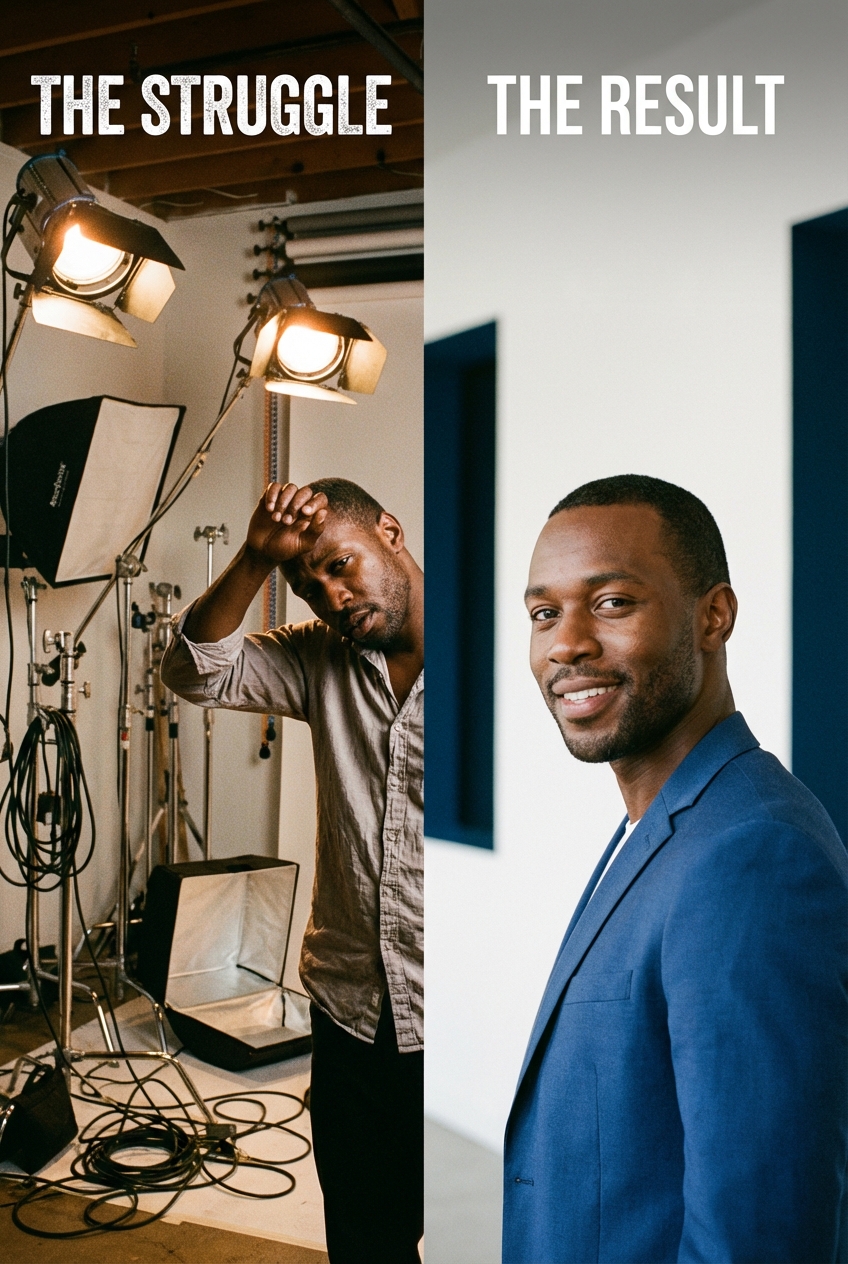
Your company needs updated headshots. Maybe you're refreshing the website, onboarding a wave of new hires, or your "about us" page is a patchwork of iPhone selfies, five-year-old studio shots, and blank LinkedIn silhouettes.
Traditional photography means booking a photographer, finding dates that work for everyone, renting a conference room, and hoping nobody's out sick. For distributed teams, multiply that by every office location. The project drags on for weeks, costs pile up, and by the time everyone's photos are in, three more people have joined the company.
Corporate AI headshots solve the logistics problem. Each employee uploads a selfie, the platform generates a professional portrait in minutes, and an admin ensures everything meets brand standards before publishing. No photographer, no coordination, no travel.
This guide is the step-by-step playbook for making that switch — from building internal buy-in through full rollout.
Building the Business Case
The financial argument is straightforward, but cost alone rarely gets enterprise buy-in. Decision-makers need to see the operational impact.
The numbers
Traditional headshots cost $200–500 per person, while AI platforms start at $19.99. For a full pricing breakdown including hidden fees and a 100-employee ROI calculator, see our headshot cost guide.|
The operational pitch
Cost savings get attention. Operational benefits close the deal. Frame the business case around these:
New hire onboarding speed. Right now, how long does a new employee wait before they have a professional headshot on the company website? If the answer is "until the next scheduled photo session" — which could be months — that's a gap in your brand presentation. AI headshots make it a Day 1 task. Brand consistency across locations. If your company has offices in multiple cities (or a fully remote team), your current headshots almost certainly look inconsistent. Different photographers, different lighting, different backgrounds. AI platforms apply the same style to every photo, regardless of where the employee is located. Refresh frequency. Traditional photography economics force most companies to update headshots every 2–3 years at most. AI pricing makes quarterly or even monthly refreshes feasible — which matters when employees change hairstyles, gain or lose weight, or simply age out of their current photo. Reduced employee friction. Many employees dislike photo sessions. The scheduling disruption, the pressure of being photographed, the awkward waiting — AI removes all of that. One selfie, taken privately, on their own time.Who to pitch and what they care about
| Stakeholder | What they care about | Lead with |
|---|---|---|
| CFO / Finance | Budget, ROI | Cost comparison table + new hire savings |
| HR / People Ops | Onboarding, employee experience | Speed of onboarding, no scheduling overhead |
| Marketing / Brand | Consistency, quality | Uniform styling across all team members |
| IT / Security | Data handling, compliance | Encryption, GDPR, data retention policies |
| Legal | Disclosure, liability | Transparency policy templates |
| Executives | All of the above | Pilot results (show, don't tell) |
Overcoming internal resistance
The biggest blocker to corporate AI headshot adoption isn't budget, technology, or quality — it's organizational inertia. "We've always used a photographer" is a powerful force.
Frame it as a brand quality upgrade, not a cost-cutting measure. If the conversation starts with "this saves us money," decision-makers mentally categorize it as a downgrade. Instead, lead with: "This gives us something we've never had — a team page where every headshot matches, every new hire has a photo on day one, and we can refresh annually instead of every three years." Show, don't tell. A slideshow comparing your current team page (inconsistent lighting, different backgrounds, a mix of selfies and professional shots, three people with no photo at all) to a pilot batch of AI headshots (consistent, polished, uniform) closes the argument faster than any spreadsheet. Address the "but what about quality?" objection with data. The pilot results are your ammunition. If 9 out of 10 pilot participants said the AI headshot looked like them and was as good or better than their current photo, that's the proof point. Put the specific percentages in your pitch. Acknowledge what you're giving up. Traditional photo sessions can be a team-building experience. Some employees enjoy them. Some executives view a professional photographer as a status signal. Acknowledging these trade-offs honestly makes your argument more credible than pretending AI is better in every dimension.Running a Pilot Program
Don't roll out company-wide on day one. A pilot program with 5–10 people across different departments gives you real data to build the case and iron out issues before they scale.
Selecting pilot participants
Choose people who represent the range of your organization:
Include at least one executive. When leadership sees their own AI headshot alongside their current photo, the quality conversation ends fast. It also creates an internal champion who can advocate for the rollout. Include remote employees. The whole point of AI headshots is solving the coordination problem. If your pilot only includes people in the same office, you're not testing the hardest use case. Include diverse appearances. AI platforms handle some skin tones, hair textures, and facial features better than others. Test with a representative group before committing to a company-wide purchase. Include a skeptic. Someone who thinks AI headshots are gimmicky. If you convert them, you've got a powerful internal testimonial. If you don't, their feedback tells you what objections you'll face at scale.Running the test
1. Have each participant upload their selfies to the platform. Share our professional headshot tips guide with pilot participants to ensure high-quality source photos. 2. Generate headshots using your preferred style settings 3. Place AI results side-by-side with their current company headshots 4. Ask each participant: "Which looks more professional?" and "Does this look like you?" 5. Have the marketing/brand team evaluate consistency across the group 6. Document results: quality ratings, time-to-completion, participant feedback
What to measure
| Metric | What it tells you |
|---|---|
| Time from upload to final headshot | Speed improvement vs. traditional |
| Participant satisfaction score (1–5) | Employee acceptance |
| Brand team approval rate | Quality meets standards |
| "Looks like me" accuracy score | Identity fidelity |
| Cost per participant | ROI vs. traditional |
| IT security sign-off | Platform meets compliance |
Common pilot mistakes
Testing only with young, photogenic employees. This produces artificially positive results. AI platforms need to work for everyone — different ages, skin tones, hair types, facial structures, and glasses wearers. A pilot that skips this diversity will surface quality issues at scale, when it's harder to fix. Skipping the side-by-side comparison. Don't just ask "do you like your AI headshot?" Ask "put your AI headshot next to your current photo — which would you choose for the company website?" The comparative question gets more honest and useful answers. Not involving the brand team. If the pilot generates headshots that the brand reviewer later rejects, you've wasted everyone's time and created a negative first impression of the process. Include brand review in the pilot, not after it.Setting Brand Guidelines for AI Headshots
Need a ready-to-use template? Our Corporate Headshot Guidelines Template includes a copy-paste policy document with visual standards, review workflow, and update cadence.
The biggest risk with AI headshots isn't quality — it's inconsistency. If every employee uses different settings, your team page will look just as mismatched as it does now, just with AI photos instead of phone selfies.
Define your standards before anyone uploads a photo.
Brand parameters to lock down
Background. Choose one option and stick to it across the entire company. Common choices: solid light gray, soft gradient, or your brand's primary color at low opacity. Avoid "office" backgrounds — they look fake and they're the #1 tell that a headshot is AI-generated. Lighting style. Most platforms offer lighting presets. Pick one that matches your brand's tone: warm and approachable for consumer-facing brands, clean and neutral for professional services, bright and modern for tech companies. Attire expectations. Give employees clear guidance. "Business professional" is ambiguous — "solid-colored button-down or blazer, no logos, no busy patterns" is specific enough to get consistent results. Publish examples alongside the guidelines. Expression range. Define what's appropriate for your brand. A law firm might want neutral-to-slight-smile. A tech startup might encourage bigger smiles and more personality. Whatever you choose, consistency across the team matters more than any single expression. Crop and framing. Head and shoulders is the standard for corporate headshots. Make sure everyone uses the same framing — a mix of head-only close-ups and waist-up shots will look inconsistent on your team page.Creating a brand headshot brief
Write a one-page document that covers:
- Background color/style (with hex code if relevant)
- Lighting preset name from the platform
- Attire requirements with photo examples of acceptable/unacceptable
- Expression guidance
- Crop specifications
- Where to upload and by when
- Who to contact with questions
Quality review process
Assign one person (typically someone from marketing or brand) as the quality gate. Every AI headshot gets reviewed against the brand brief before it goes live. This isn't about micromanaging — it's about catching the occasional output where the AI rendered a warped collar, generated an inconsistent background, or produced a photo that doesn't look enough like the employee.
The review process for a batch of 50 headshots takes 1–2 hours. For traditional photography, the equivalent review process takes days because images arrive in batches over weeks.
What to do when AI output misses the mark
Even with good source photos and locked-in settings, some AI headshots won't meet standards. Have a plan for this:
Warped accessories. Glasses frames bent, earrings melted, collar distorted. Solution: ask the employee to upload a new selfie without the problematic accessory. Glasses are the most common issue — if possible, have employees remove them for the source photo and add them back in post-processing (some platforms support this). Doesn't look like the person. Sometimes the AI drifts too far from the real face — younger, thinner, or just subtly off. Solution: re-generate with a different source photo. Head-on selfies in even lighting produce the most accurate results. Background inconsistency. One headshot in a batch has a slightly different background shade or gradient. Solution: re-generate that specific headshot. This is usually a one-off rendering issue, not a systemic problem. Over-polished skin. The headshot looks too smooth, too perfect — obviously AI. Solution: if the platform offers a "natural" or "realistic" rendering mode, switch to it. If not, choose a different output from the batch that retains more natural skin texture.Set a threshold: if more than 20% of headshots in a batch need re-generation, the issue is likely with the brand settings or the platform itself, not individual photos. Reassess before continuing.
Managing Employee Concerns
Some employees will be enthusiastic. Others will have reservations. Address concerns proactively rather than discovering them during rollout.
Common objections and responses
"I want a real photo, not a fake one." Acknowledge the preference. Explain that AI headshots are generated from their real face — it's not a stock photo or an avatar. Offer to let them compare the AI output with their current headshot and choose which they prefer. Most employees, once they see the quality, drop this objection. "What if it doesn't look like me?" Valid concern. Show pilot results where participants confirmed the AI headshot looked like them. Emphasize that employees get to review and approve their headshot before it goes live — nothing gets published without their sign-off. "I'm uncomfortable with AI using my face." This is a privacy concern, and it deserves a real answer. Explain the platform's data handling: what data is collected, how long it's retained, and when it's deleted. If you're using a platform with strong privacy practices (immediate deletion after processing, no model training on user data), say so explicitly. For employees who remain uncomfortable, offer traditional photography as an alternative. "My current photo is fine." If the goal is brand consistency, individual preference takes a back seat. Frame it as a company-wide initiative — "we're updating everyone's photos to match our new brand standards" — rather than singling anyone out. When the whole team does it together, there's less stigma attached.Communication plan
Announce 2 weeks before rollout. Explain what's happening, why, and what employees need to do (upload one selfie). Include the brand brief and a sample AI headshot from the pilot. Provide a selfie guide. Good lighting, face the camera, plain background, current appearance. Two sentences of instruction prevent most quality issues. Set a deadline. "Upload your selfie by Friday" is better than an open-ended request that drags on for months. Share results. After the first batch, share the new team page internally. Seeing the consistent, polished result builds momentum for the remaining holdouts.Handling edge cases
Employees who are camera-shy or have appearance-related anxiety. AI headshots actually help here — the process is private (a selfie taken alone vs. a photographer session), there are multiple outputs to choose from, and the employee controls which photo goes live. Frame this as an advantage, not a compromise. Employees who have recently changed appearance. New hairstyle, new glasses, weight change. Emphasize that the source photo should reflect their current appearance, and that they can re-generate anytime their look changes significantly. Employees in different cultural contexts. Professional attire norms vary by culture and region. Your brand brief should be specific enough for consistency but flexible enough to respect cultural differences in professional dress. A headscarf, turban, or other cultural attire should be explicitly welcomed in the brief. Part-time, contract, or temporary employees. Decide upfront whether they're included. Most companies include anyone who appears on the website or in client-facing materials, regardless of employment type. Making this decision before rollout prevents awkward one-off conversations later. Executives who insist on traditional photography. Some leaders will want "real" photos. That's fine — offer it as an option while ensuring the photographer matches the AI brand settings (same background, similar lighting, same crop). The goal is consistency on the team page, not uniformity of method.Disclosure and Legal Considerations
The corporate disclosure question is different from the individual one. When a company systematically uses AI headshots for employee directories, the considerations shift from personal preference to corporate policy.
Current legal landscape (2026)
No US federal law prohibits AI headshots in corporate directories. Some states are developing AI disclosure requirements for commercial contexts, but as of February 2026, no state law specifically addresses AI-generated employee headshots. EU regulations under the AI Act require disclosure of AI-generated content in certain contexts, but professional headshots for internal use generally fall below the threshold.
That said, legal landscape ≠ best practice. The absence of a legal requirement doesn't mean you should hide it.Recommended disclosure approach
Internal transparency. Employees should know their company uses AI headshots. This is both an ethical obligation and a practical one — employees who discover it through other channels may feel deceived. External disclosure: optional but increasingly expected. A growing number of companies add a subtle note to their team page: "Team photos generated with AI assistance" or similar. This is not legally required in most jurisdictions, but it demonstrates the transparency that clients and partners increasingly expect. Client-facing contexts. If your employees' headshots appear in client proposals, pitch decks, or regulatory filings, consult your legal team about disclosure requirements specific to your industry. Financial services, healthcare, and legal sectors have stricter expectations around authenticity in client-facing materials.Policy template
Create a short internal policy document that addresses:
1. The company uses AI-generated headshots for [directories / website / all professional materials] 2. Employees may request traditional photography as an alternative 3. AI headshots are generated from employee-submitted selfies and are reviewed for accuracy 4. Source photos are [deleted after processing / retained for X days / handled per platform policy] 5. External disclosure [is / is not] included on the company website 6. Policy review date: [annual review]
This takes an hour to draft and protects the company from both legal risk and employee trust issues.
Industry-specific disclosure considerations
Financial services. Client trust is paramount. If employee headshots appear in pitch decks, client portals, or regulatory filings, err on the side of disclosure. Some compliance teams treat AI-generated headshots the same as any other AI-generated content used in client communications. Healthcare. Patient trust has a direct relationship with provider imagery. Hospital systems and medical groups should consult their compliance team before deploying AI headshots on patient-facing directories. The risk isn't legal — it's reputational if a patient feels misled. Legal. Law firm partners' headshots appear in court filings, bar associations, and Martindale-Hubbell profiles. Senior partners at traditional firms may prefer traditional photography for credibility reasons. Consider a hybrid approach: AI for associates and staff, traditional for partners. Technology and startups. Lowest disclosure risk. AI headshots are widely understood and accepted. Most tech companies don't bother with formal disclosure, though a subtle note on the team page demonstrates good faith. Government and public sector. Policies vary by agency and jurisdiction. Some government entities require traditional photography for official identification purposes. Check your specific agency's media and communications policies before deploying.For detailed dress codes, background preferences, and AI acceptance levels by industry, see our industry-specific headshot guide
Professional headshots from $10.49
Upload a selfie. Get studio-quality headshots in 60 seconds.
Upload a Selfie → Get Team HeadshotsEnterprise Platform Evaluation
Not all AI headshot platforms are built for corporate use. Individual-focused platforms may produce great photos but lack the admin controls, security features, and bulk processing that enterprise deployments require.
Choosing the right platform matters. We tested 8 AI headshot generators head-to-head — see the full platform comparison with real results to find the best fit for your organization.
Below are the enterprise-specific criteria that matter most for corporate rollouts.
Enterprise procurement checklist
Before signing with any platform, verify these capabilities:
Admin controls- [ ] Can an admin manage all team members from a single dashboard?
- [ ] Can the admin set style parameters (background, lighting) that apply to all employees?
- [ ] Can the admin review and approve/reject headshots before they go live?
- [ ] Can the admin re-generate headshots for employees who need updates?
- [ ] Can the platform handle 50+ employees simultaneously?
- [ ] Is there a bulk upload mechanism or does each employee upload individually?
- [ ] What's the actual processing time for a batch of 100 employees?
- [ ] Is data encrypted in transit and at rest?
- [ ] What's the data retention policy? When are source photos deleted?
- [ ] Is the platform GDPR compliant?
- [ ] Does the platform have SOC 2 Type II certification (or equivalent)?
- [ ] Are employee photos used to train the AI model? (Answer should be no.)
- [ ] Can you sign a Data Processing Agreement (DPA)?
- [ ] Where is data processed geographically? (Relevant for data residency requirements.)
- [ ] Can headshots be exported in standard formats (JPEG, PNG) at multiple resolutions?
- [ ] Is there an API for integration with HRIS systems?
- [ ] Can the platform integrate with your employee directory or company website CMS?
- [ ] Is SSO (Single Sign-On) supported?
- [ ] Is there a dedicated account manager for teams above your size?
- [ ] What's the typical response time for support issues?
- [ ] Is there onboarding assistance for the initial rollout?
Platform comparison for enterprise use
| Feature | TeamShotsPro | HeadshotPro | Try It On AI |
|---|---|---|---|
| Admin dashboard | Yes | Limited | Yes (custom) |
| Brand consistency controls | Yes | No | Yes (custom) |
| Batch processing | Yes (any size) | Yes (limited) | Yes (enterprise) |
| Processing speed | 60 seconds/person | 15 min–2 hrs | Custom |
| Min. upload | 1 selfie | 1–3 photos | Multiple |
| Data deletion | After processing | Retained | Custom policy |
| SOC 2 | Ask | Ask | Available |
| SSO | Enterprise plans | No | Enterprise plans |
| Dedicated support | 25+ teams | No | Enterprise only |
| Starting team price | $10.49/person | $39/person | Custom quote |
Questions to ask during vendor evaluation
Beyond the checklist, these conversations reveal how seriously a platform takes enterprise clients:
"What happens if an employee is unhappy with their headshot?" Look for: re-generation options, human support escalation, satisfaction guarantees. A platform that says "they can upload another selfie" is giving you the individual answer, not the enterprise one. "Can we see examples of other corporate rollouts?" Established enterprise platforms should be able to show you anonymized case studies or reference customers. If they can't, you may be their first enterprise client — which isn't necessarily bad, but know what you're signing up for. "What's the actual failure rate — how many headshots don't meet standards on the first try?" Honest platforms will give you a number (typically 5–15% need re-generation). Platforms that claim 100% first-try accuracy are either overselling or haven't worked with diverse enough teams. "How do you handle data subject access requests?" Under GDPR and similar frameworks, employees have the right to request access to or deletion of their data. The platform should have a documented process for this. If the answer is vague, that's a red flag for any company operating in the EU or handling EU employee data.Scaling Across Multiple Locations and Subsidiaries
Single-office rollouts are straightforward. Multi-location deployments introduce complexity that's worth planning for.
Centralized vs. distributed ownership
Centralized model: Corporate marketing owns the brand brief, the platform admin account, and the review process. Every location follows the same standards. Best for companies that need strict brand consistency — financial services, consulting firms, franchise operations. Distributed model: Corporate sets the brand brief and guidelines, but each office or region manages its own rollout. A local HR or office manager handles communication and follow-up. Best for companies with regional sub-brands or autonomous business units. Hybrid model: Corporate owns the brand brief and platform settings (locked down), but each location runs its own timeline and communication. The quality review happens centrally. This is the most common approach for companies with 200+ employees across multiple locations.Language and cultural considerations
If your company operates internationally, the rollout communication needs localization — not just translation. Professional attire norms, attitudes toward AI-generated content, and even selfie-taking conventions vary by culture. A selfie guide that works for your San Francisco office may need adjustment for your Tokyo or Dubai team.
Assign a local point of contact in each region who can adapt the messaging and handle questions in the local language and cultural context. The brand settings (background, lighting, crop) stay global; the communication around them gets localized.
Handling acquisitions and mergers
Companies that grow through acquisition face a unique version of this problem: integrating newly acquired teams into existing brand standards. AI headshots make this dramatically faster than traditional photography. Instead of scheduling photo sessions across newly acquired offices — while navigating the politics of "their brand vs. our brand" — you can update everyone's headshots to the combined brand standard in a week.
The key is timing. Don't force the headshot update in the first month of an acquisition when emotions are high and people are protective of their former brand identity. Wait until the broader brand integration is underway, then include headshot updates as part of the package. It feels less personal when it's part of a larger initiative.
Full Rollout: Step by Step
Once the pilot is done, brand guidelines are set, and the platform is selected, the actual rollout is the easy part.
Week 1: Preparation
- Finalize brand headshot brief
- Set up admin account on chosen platform
- Configure style presets (background, lighting)
- Draft employee communication
- Set deadline (2 weeks from announcement is typical)
Week 2: Launch
- Send company-wide announcement with selfie guide and deadline
- Open platform access for all employees
- Have IT or HR available for questions during the first 2 days (volume is highest early)
Week 3: Collection and review
- Monitor upload progress — send a reminder at the halfway point
- Brand reviewer approves completed headshots in batches
- Flag any quality issues for re-generation
- Follow up individually with employees who haven't uploaded
Week 4: Publication
- Export approved headshots
- Update company website, employee directory, and internal platforms
- Notify employees their new headshots are live
- Archive old headshots (don't delete — you may need them for records)
Ongoing: New hires and refreshes
- Add headshot upload to the onboarding checklist (Day 1 or Week 1 task)
- Schedule quarterly or biannual refresh reminders
- Keep the brand headshot brief updated as brand guidelines evolve
Measuring Success
Track these metrics after rollout to demonstrate ROI and identify improvements:
Completion rate. What percentage of employees uploaded a selfie and have an approved headshot? Target: 90%+ within 30 days of launch. Time to completion. How long from announcement to full team coverage? Compare to your last traditional photography cycle. Cost per headshot. Total platform cost divided by number of completed headshots. Compare to your last traditional photography invoice. Employee satisfaction. Run a 3-question survey: (1) How satisfied are you with your new headshot? (2) Was the process easy? (3) Does it look like you? Use a 1–5 scale. Brand consistency score. Have the brand team rate the team page on a 1–10 scale before and after the rollout. The improvement is usually dramatic. Website and LinkedIn impact. If you can track it, monitor whether updated team photos correlate with changes in website engagement, LinkedIn profile views, or inbound leads.Common Rollout Mistakes
Having helped hundreds of teams through this process, these are the mistakes we see most often:
Launching without brand guidelines. The single most common mistake. Someone sends a company-wide email saying "upload a selfie to get your new headshot," employees use different platforms or settings, and the result is worse than what you started with. Always finalize brand settings and assign a reviewer before opening access. Treating it as an IT project. AI headshots are a brand and people project. IT handles security evaluation and SSO integration — but the rollout should be owned by marketing or HR, not IT. The communication, the brand brief, and the employee experience are what determine success or failure. Setting too long a deadline. "Upload your selfie by end of quarter" means 90% of people upload on the last day (or never). Two weeks is the sweet spot — urgent enough to create action, long enough for people who are traveling or on leave. Not following up with stragglers. In every rollout, 10–20% of employees won't upload by the deadline. You need a plan: personal follow-up from their direct manager, a second (shorter) deadline, and a clear consequence (e.g., "headshots not submitted by March 15 will remain blank on the website"). Without this, you'll have 80% coverage forever. Skipping the quality review. Trusting that every AI output meets brand standards without review. Even the best platforms produce occasional artifacts. A 1–2 hour review of a 50-person batch is a trivial investment compared to publishing a subpar headshot on your company website. Forgetting about ongoing maintenance. The rollout is a one-time event; the system needs to persist. Add headshot generation to your onboarding checklist, schedule refresh reminders, and assign ownership of the brand headshot brief to someone who will keep it updated.Professional headshots from $10.49
Upload a selfie. Get studio-quality headshots in 60 seconds.
Upload a Selfie → Get Team HeadshotsRelated Reading:
- AI Professional Headshots in 2026: How They Work, What They Cost, and Which Platform to Use — Complete overview of AI headshot technology, pricing, and platform options.
- Professional Team Headshots: 2026 Guide — Broader overview of team headshot strategy, including when to use traditional photography vs. AI.
- How to Design Your Company Team Page — Once your team has headshots, this guide covers layout, specs, and bios for displaying them.
Frequently Asked Questions
How do we roll out AI headshots across the entire company?▼
Start with a 5–10 person pilot across different departments (include at least one executive and one remote employee). Set brand guidelines for background, lighting, attire, and expression. Choose a platform with admin controls and batch processing. Then announce company-wide with a selfie guide and a 2-week deadline. Assign one person from marketing or brand to review and approve each headshot before it goes live. Most companies complete a full rollout within 3–4 weeks.
Do we need to disclose that our team headshots are AI-generated?▼
No US federal law requires disclosure for AI headshots in corporate directories as of February 2026, and EU AI Act thresholds generally don't apply to internal employee photos. However, best practice is internal transparency — employees should know the company uses AI headshots. For external disclosure, a growing number of companies add a note like 'Team photos generated with AI assistance' to their team page. In regulated industries (financial services, healthcare, legal), consult your legal team about client-facing disclosure requirements.
How do we ensure brand consistency across AI-generated team headshots?▼
Create a one-page brand headshot brief that specifies: background color (with hex code), lighting preset, attire requirements with examples, expression guidance, and crop specifications. Choose a platform with admin controls that let you lock in style settings across all employees. Then assign a single reviewer from marketing or brand to approve every headshot against the brief before publication. This review takes 1–2 hours for a batch of 50 headshots.
What if employees refuse to use AI headshots?▼
Address concerns proactively: show pilot results, emphasize that AI headshots are generated from their real face (not stock photos), and confirm that nothing gets published without their approval. For employees with genuine privacy concerns, offer traditional photography as an alternative. Frame the rollout as a company-wide brand initiative rather than singling anyone out. Most resistance disappears once employees see the quality of the output and the simplicity of the process.
What security and compliance features should we look for in a corporate AI headshot platform?▼
At minimum: data encryption in transit and at rest, a clear data retention and deletion policy, GDPR compliance, and confirmation that employee photos are not used to train AI models. For regulated industries, look for SOC 2 Type II certification, Data Processing Agreement (DPA) availability, data residency controls, and SSO integration. Ask specifically when source photos are deleted — platforms that delete immediately after processing carry less data risk than those that retain photos for weeks or months.
How do we handle headshots for new hires after the initial rollout?▼
Add headshot upload to your onboarding checklist as a Day 1 or Week 1 task. Send the new hire the brand headshot brief and platform login as part of their welcome packet. With AI platforms, the turnaround is minutes — so a new hire can have a professional headshot on the company website before their first week ends. This is one of the biggest operational advantages over traditional photography, which typically forces new hires to wait for the next scheduled batch session.
Can AI headshots match the quality of our existing professional photography?▼
For standard corporate headshots (head and shoulders, neutral background, professional attire), the best AI platforms produce results that are indistinguishable from traditional photography at typical web and LinkedIn resolutions. The main limitations are accessories (glasses, earrings can show artifacts) and situations requiring specific locations or props. For a detailed quality comparison across 8 platforms, see our AI headshots review.
How much does a corporate AI headshot rollout actually cost?▼
Platform costs range from $10.49 to $29.99 per person depending on team size, with volume discounts for 25+ and 100+ employee tiers. A 50-person rollout typically costs $500–1,500 total versus $10,000–25,000 for traditional photography. The hidden savings are in coordination time (1 hour vs. 10–15 hours of admin scheduling) and speed (1 afternoon vs. 3–8 weeks). For a detailed cost breakdown including traditional photography pricing by city, see our professional headshots cost guide.
Ready to get started with TeamShotsPro?
Generate professional AI headshots in 60 seconds.
Upload a Selfie → Get Team Headshots
About the Author
Founder & CEO, TeamShotsPro
Matthieu van Haperen runs TeamShotsPro, where he has helped hundreds of teams get professional AI headshots. Before founding TeamShotsPro, he spent 6+ years building and scaling tech startups. He writes about professional photography, team branding, and how AI is reshaping corporate imagery.
Connect on LinkedIn →