Professional Team Headshots: 2026 Guide

MH
Matthieu van HaperenFounder & CEO, TeamShotsPro · Updated Sep 2026

TL;DR: Quick Answer

Team headshots can give company profiles, websites, and sales materials a shared visual direction; review every selected photo for likeness and intended use.

Compare the full photographer quote with the current TeamShotsPro checkout total because provider prices, travel, usage rights, and coordination needs vary.

A new ten-person TeamShotsPro order totals $263.90, paid once, with 8 photos per person; graduated pricing charges each seat band separately.

Each generated image typically completes in about 60 seconds, while full-team completion depends on submissions, review, approval, and destination updates.

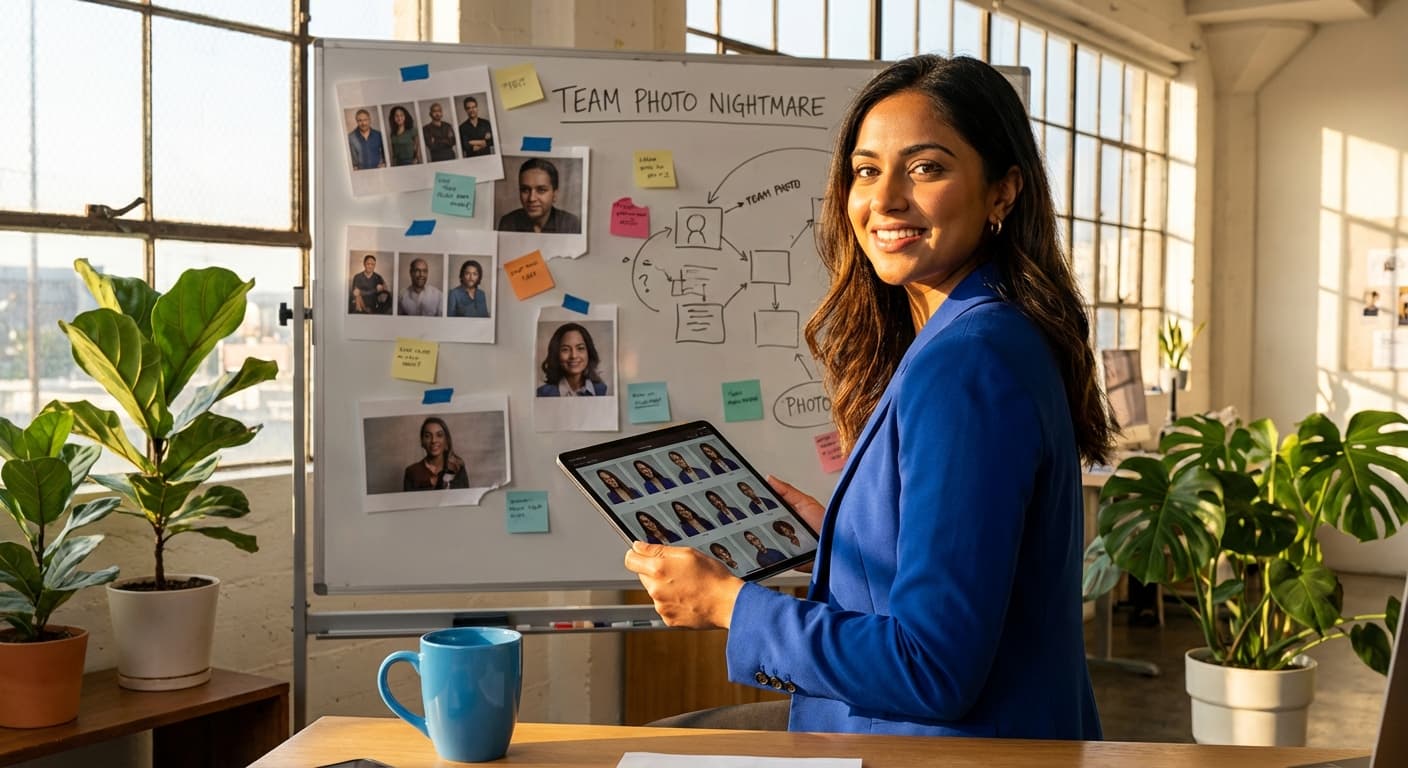
Smiling woman in blue blazer holding a tablet with professional headshots for teams, next to a whiteboard.

Mismatched team photos can make a team page feel unfinished before a visitor reads the full pitch. Review old portraits, casual selfies, empty slots, and inconsistent crops together to see what needs updating.

A photographer typically charges $200 to $500 per person for an on-site team session. TeamShotsPro is from $29.99 per seat for 8 photos, minimum 2 seats, one-time, with a money-back guarantee. Each person uploads one selfie. Each generated image typically completes in about 60 seconds. Review the finished photos for likeness and how well the shared style works across the team.

This guide is for companies that need consistent photos on the website, LinkedIn, and sales decks. If you only need your own portrait, start with Portreya. For a remote company rollout, see company headshots.

Key Takeaways

  • Team headshots give a company a shared visual direction across profile surfaces; LinkedIn has reported higher activity for profiles with photos, but that does not establish a guaranteed lift from a particular headshot style
  • TeamShotsPro provides shared style settings; review every finished photo for likeness and intended use
  • Compare the full photographer quote with the TeamShotsPro checkout total; photographer prices and coordination needs vary
  • A vendor survey of 500 hiring professionals reported difficulty distinguishing some AI-generated headshots, but it does not establish acceptance or quality for every image
  • A practical implementation balances likeness, team style, cost, timing, and review
Professional headshots for teams can help a company present one visual direction across its website, profiles, and sales material. Compare photographer and AI options against the team’s actual use cases, budget, review process, and quality requirements.

Managing headshots for distributed teams has become a logistical nightmare. Coordinating photographers across multiple locations, aligning schedules across time zones, and maintaining visual consistency while onboarding new hires creates bottlenecks that slow business growth.

AI tools remove the need for a shared photo appointment. Results still vary, so review each finished photo for likeness, lighting, clothing, crop, and fit with the team style.

This complete guide examines team headshots in 2026: why they're non-negotiable, market reality and detection rates, cost analysis versus traditional photography, and best practices for strategic implementation that maintains authenticity while scaling fast.

Ready to give your team one credible company presence? A new ten-person TeamShotsPro order costs $263.90 in total, paid once, with 8 photos per person. Each seat band is charged separately, so use the full order total when comparing your budget with a photographer quote.

What Are Team Headshots and Why They Matter in 2026

Team headshots are professional portraits designed for business use across organizations. These images appear on websites, LinkedIn profiles, marketing materials, and internal communications. Unlike casual social media photos, team headshots follow specific branding guidelines and maintain consistent quality standards across entire organizations.

Today's business photography has transformed dramatically. The old, stiff poses are gone. Now, team headshots focus on authenticity while creating approachable connections with clients and stakeholders.

Visual Consistency Has Become the New Credibility Test

When prospects land on your website, they form opinions about your organization in as little as 100 milliseconds. I'm talking split-second judgments about whether you're detail-oriented, professional, and worth their time.

The psychology here is straightforward. Mismatched crops, backgrounds, and lighting can make a page feel disjointed. A shared visual direction can make the set easier to scan, but visitor reactions vary.

Published benchmarks provide context, not a headshot ROI guarantee:

  • LinkedIn marketing material reports higher profile activity for members with profile photos; it does not isolate professional photo quality or prove a result for every profile
  • A PwC visual-communication article discusses sharing of visual content generally, rather than team headshots specifically
A Lucidpress brand-consistency report discusses brand presentation across many touchpoints. It does not establish that changing team headshots causes a specific revenue increase.

Review your existing team page for missing photos, outdated portraits, and inconsistent crops. A shared background and lighting direction can help professional AI headshots sit together as one set. Assess the finished photos before updating the page.

Digital Platforms Demand Multi-Format Consistency

Today's business happens across multiple touchpoints that each require optimized imagery:

  • LinkedIn profiles for B2B networking and thought leadership
  • Company websites (mostly viewed on mobile devices)
  • Video conference platforms needing clear thumbnails and backgrounds
  • Marketing materials requiring brand-compliant imagery
  • Email signatures and virtual meeting backgrounds
  • Conference materials and speaker profiles
Different uses may require different crops, aspect ratios, file sizes, or backgrounds. Check the current requirements for LinkedIn, the company website, marketing layouts, and conference materials before exporting or cropping a selected photo.

Beyond Individual Photos: Strategic Brand Assets

Team headshots differ fundamentally from personal portraits. Personal headshots showcase individual style. Team photography creates a uniform look that strengthens your entire organization's brand identity.

Different photographers, varying lighting conditions, and inconsistent timeframes create visual gaps that weaken your professional team's visual brand. A unified photography approach ensures cohesive and polished team presentation across all platforms.

Companies now treat team headshots as brand assets, requiring strict consistency guidelines. Every team member's photo must align with the company's aesthetic standards, including background colors, lighting quality, pose guidelines, and professional attire that reflects organizational culture. Once you have consistent headshots, the next step is displaying them effectively, see our guide to designing your company team page for layout specs, bio structure, and display best practices.

Why Professional Team Headshots Are Non-Negotiable in 2026

A shared photography appointment can require calendar coordination, especially for distributed teams; the actual schedule depends on the photographer and participants.

AI removes the shared appointment, and each image typically completes in about 60 seconds after upload. Team completion still depends on participation and review, and finished-photo quality can vary.

The Remote Work Reality

Remote-first companies face unique challenges in maintaining visual cohesion. Team members scattered across continents make traditional group photos extremely challenging. Geographic distribution creates consistency problems when different photographers and lighting conditions make headshots look like employees belong to separate companies.

Corporate AI headshots let team members upload one clear selfie from different locations without attending one shared photo appointment. The team still needs to coordinate invitations, submissions, and review, and each result should be checked for likeness and fit with the shared style. Our guide to taking professional headshots at home offers a 10-minute window-light setup for preparing a clear source photo.

Competitive Advantage Through Visual Professionalism

To evaluate the investment, define what the team wants to improve and record the baseline before changing photos. Our professional headshot cost guide separates direct purchase costs from outcome measures. Possible measures include:

  • Brand review - whether stakeholders approve the finished set for intended uses
  • Recruitment surfaces - whether required profiles have current photos
  • Client-facing coverage - whether planned pages and materials are complete
  • Employee feedback - whether participants approve their selected photo
These measures can show operational completion and stakeholder response. They do not by themselves prove that headshots caused a commercial outcome.

Team Headshots in 2026: Market Reality and Detection Rates

A Photo AI Studio vendor survey of 500 hiring professionals reported that 62% could not distinguish the examples shown from traditional headshots. Treat this as one vendor-reported perception study, not evidence of universal quality, acceptance, or adoption.

Organizations should decide whether AI-generated portraits fit their own brand, disclosure, employee-consent, and review requirements. Published adoption data for specific industries was not established here.

Detection is only one consideration. Review likeness, visible artifacts, disclosure expectations, platform rules, and the intended professional context before publishing.

Industry Adoption Patterns

Review requirements can differ by sector and organization:

  • Tech firms: Check brand fit, employee consent, and distributed-team workflow
  • Service businesses: Check likeness and suitability for client-facing materials
  • Banks and finance: Include the organization’s normal compliance and approval process
  • Healthcare and legal: Check professional-profile rules, disclosure expectations, and trust-sensitive uses
The linked Photo AI Studio vendor survey concerns recruiter perception; it does not establish sector adoption forecasts.

For industry-specific rollout guides, see our deep dives on AI headshots for real estate agents, AI headshots for law firms, and AI headshots for financial services teams.

A Career Group Companies report covered by CNBC reported AI-tool use in job applications. Application-wide figures do not establish the effect of a particular profile image.

Market Maturity Indicators

For a concrete team budget, a new 50-person TeamShotsPro order costs $1,106.50 in total, or $22.13 per person on average, with 8 photos each. That is a graduated order total; the lowest marginal seat rate does not apply to every person.

Some companies use remote photo workflows for directories or marketing materials, while others retain in-person photography. Choose based on the organization’s quality, policy, consent, and creative-direction requirements.

The Hidden Costs of Traditional Team Photography Sessions

Traditional team photography carries hidden costs for coordination, retakes, and remote workers. See our full cost breakdown including hidden fees and a 100-employee ROI calculator for details.

AI-Generated Headshots: The Modern Solution for Team Consistency

Traditional photography and remote AI workflows solve different constraints. A shared studio session provides direct creative control; a remote workflow avoids requiring everyone to attend one appointment.

The speed revolution delivers competitive advantage

TeamShotsPro lets team members upload one clear selfie remotely. Each generated image typically completes in about 60 seconds; review the finished photo for likeness, artifacts, clothing, lighting, and crop.

This isn't just about convenience. It's about competitive advantage. While your competitors spend months coordinating photo sessions, TeamShotsPro removes the shared scheduling step; each image takes about 60 seconds to generate after upload, while team completion depends on submissions and review.

Cost Efficiency That Transforms Budgets

Team headshot costs vary by provider, market, session, retouching, usage rights, and travel. The comparison in this guide uses a $200-500-per-person photographer range as an estimate. TeamShotsPro uses graduated pricing: new orders have a two-seat minimum at $59.98 in total, with 8 photos per person. For more pricing variables, see our headshot cost guide.

Solving the Authenticity Challenge

Judge AI team headshots by the finished image and its intended use. Review likeness, artifacts, styling, and whether the result meets the organization’s approval standard.

Useful review checks include:

  • Whether facial features remain recognizable
  • Whether clothing is appropriate for the intended context
  • Whether lighting and composition work across the selected team set
  • Whether backgrounds and colors follow the approved visual direction
TeamShotsPro offers shared style settings, but outputs can vary and require review. See our before-and-after examples across different input conditions, then assess the actual results against your requirements.

Consistency That Builds Credibility

A new TeamShotsPro seat includes 8 photos. Teams can review the available results and select a photo for each person within the shared style.

A shared visual brief can guide background, clothing, pose, and crop. It does not guarantee identical output, so compare the selected photos together before publishing.

Source photos and generated outputs vary. Review each result for likeness, exposure, shadows, crop, background, and any visible artifacts; regenerate or use another image when a result does not meet the brief.

The Authenticity Paradox: Balancing Professional Credibility with AI Efficiency

For guidance on AI headshot authenticity and recruiter perception, see our AI professional headshots guide.


One company look for your whole team.

Evaluate the quality with 3 test photos on a TeamShotsPro background. Paid seats let you set your company style.

Try it free

Choosing the Right AI Platform for Your Team

Not every AI headshot platform handles teams equally well. Individual-focused platforms may produce great photos but lack admin controls, batch processing, and brand consistency features that team rollouts require.

Key team-specific features to evaluate:

  • Admin dashboard for managing all team members from one account
  • Brand consistency controls that lock in background, lighting, and style
  • Batch processing capability for 10 to 500+ employees simultaneously
  • Published processing time and unit (per image or full pack, depending on the platform)
  • Team pricing tiers and volume discounts
  • SSO and enterprise security features
Our eight-platform comparison summarizes recorded product and pricing observations. Vendor terms can change, so verify current inputs, outputs, timing, rights, and team features before choosing.

For budget options, use the same comparison guide and confirm which products currently offer free use, trials, or paid generation.

For remote team members who want to improve their source photos before uploading, our guide to taking professional headshots at home covers window lighting, phone positioning, and the exact settings that produce the best AI input photos.

Building Your Team Headshot Strategy: Best Practices for 2026

A team headshot strategy should cover source-photo guidance, the shared visual direction, participant deadlines, review, and where approved photos will be used.

Start with Visual Guidelines and Quality Standards

Define clear standards for your professional headshots for teams. If you need a ready-to-use template, see our corporate headshot guidelines template.

Background and Lighting Standards:

  • Consistent background colors that align with your brand palette
  • Professional lighting standards that create even, flattering illumination
  • Exact color codes for brand-matched backgrounds
  • Approved neutral alternatives for variety while maintaining cohesion
Professional Appearance Guidelines:
  • Pose guidelines (forward-facing or slight angles that convey approachability)
  • Attire recommendations that define appropriate professional dress for your industry, for detailed wardrobe guidance to share with your team, see our what to wear for professional headshots guide with color psychology and fabric recommendations. For industry-specific dress codes and styling standards, see our industry guide.
  • Acceptable color palettes that complement backgrounds
  • Jewelry and accessory recommendations that maintain professional standards
  • Inclusivity and representation guidelines that ensure diverse team members feel represented authentically - consider varied skin tone testing, cultural hairstyle acceptance, and adaptive attire options for team members with disabilities

Technical Requirements for Modern Platforms

Your headshots need to work everywhere with consistent quality:

  • Minimum 1024x1024 pixels for crisp display across devices
  • JPEG or PNG files under 8MB for fast loading on mobile and web
  • Square (1:1) or portrait (3:4) aspect ratios for platform flexibility
  • sRGB color profile for consistent display across different screens and devices
  • Descriptive alt text on every headshot (format: "[Full Name], [Job Title] at [Company]") for screen reader accessibility and SEO - never use generic alt text like "headshot" or "team member photo"

Your Team Headshot Brief: Copy-Paste Template

Distribute this one-pager to all team members before the headshot rollout. Customize the bracketed sections for your brand:


TEAM HEADSHOT BRIEF, [Company Name]

Background: [Solid light gray / Brand color at 20% opacity / Hex: #______] Lighting: [Clean and neutral / Warm and approachable / Bright and modern] Crop: Head and shoulders, centered, 1:1 square ratio Resolution: Minimum 1024x1024 pixels

ATTIRE:

  • [Solid-colored button-down, blazer, or professional top]
  • [No logos, busy patterns, or stripes]
  • [Colors that work: navy, charcoal, jewel tones]
  • [Avoid: pure white, neon, bright red]
For detailed wardrobe guidance, see our what to wear for professional headshots guide.

EXPRESSION:

  • [Natural smile / Neutral-to-slight-smile / Friendly and approachable]
  • Direct eye contact with camera
SELFIE REQUIREMENTS:
  • Use your rear camera (not front-facing)
  • Face a window for even, natural lighting
  • Plain background (any color, AI replaces it)
  • Shoulders visible, face filling 60-70% of frame
  • No sunglasses, hats, or heavy accessories
For detailed selfie tips, see our professional headshot tips guide.

DEADLINE: [Date] UPLOAD HERE: [Platform link] QUESTIONS: Contact [Name] at [email]


Balance Authenticity with Professional Polish

This is where many teams go wrong. They either go too casual (smartphone selfies) or too sterile (overly retouched studio photos).

Professional AI headshots can provide a shared visual direction without one group appointment. Review each result for likeness, lighting, composition, artifacts, and fit with the intended context.

Start with a background that fits your brand and an expression guideline people can follow. Review the finished photos together for likeness, lighting, and crop. Before team members upload their selfies, share our professional headshot tips guide for practical advice on lighting and expression.

Streamline Onboarding for Rapid Growth

Traditional photography creates delays that hurt your brand presentation. New team members wait weeks for professional headshots. Your website shows incomplete team pages. Marketing materials become outdated.

With TeamShotsPro, new hires can start the headshot workflow on their first day; each image typically takes about 60 seconds to generate, while publication depends on submission and review. Record who owns approval and updates to each destination.

Example Implementation Timeline for New Hires:

  • Week 1: Invite the new hire and request one clear selfie
  • Week 2: Review the generated photos and request any needed improvement
  • Week 3: Update the approved destinations; timing depends on participation and each platform owner

Strategic Update Cycles

Choose a review cadence based on staff changes, appearance changes, brand updates, and where the images are used. A PwC article about visual communication discusses visual content generally; it does not establish a universal headshot refresh interval or engagement lift.

With AI headshots, each person can upload one clear selfie without attending a shared photo appointment. Each updated image typically completes in about 60 seconds, and the team should review the result before replacing a current photo.

Strategic Use Cases: When AI Works (and When It Doesn't)

A hybrid strategy can assign AI and traditional photography to different use cases. Decide by comparing creative direction, review requirements, participant locations, timing, and total cost.

Optimal AI Headshot Scenarios

Common situations to evaluate for AI team headshots include:

  • New employee onboarding - Start the professional headshot workflow on day one
  • Directory updates - Maintain current, consistent team imagery across platforms
  • Internal communications - Professional quality for employee newsletters and announcements
  • Marketing materials - Cost-effective imagery for brochures, websites, and social media
  • LinkedIn profiles - Consistent professional presence across your entire team. For what work headshots should look like by workplace, including LinkedIn usage, see our work headshots guide
  • Remote team integration - Generate cohesive imagery regardless of geographic distribution

When Traditional Photography Still Matters

Some situations may favor traditional photography or require a separate review:

  • Executive leadership portraits for annual reports and board presentations
  • Client-facing materials in trust-sensitive industries like healthcare, finance, and legal
  • Award ceremonies and formal recognition events requiring specific creative direction
  • Marketing campaigns with unique creative requirements or celebrity endorsements
  • Regulatory compliance in industries requiring disclosed photography methods

The Hybrid Approach: Strategic Implementation

Smart companies combine both approaches strategically:

Traditional photography for: C-suite executives, key client-facing leaders, marketing campaigns requiring specific creative direction

AI headshots for: New hires, employee directories, internal communications, LinkedIn profiles, rapid team scaling

This hybrid approach lets you budget for a consistent team page while commissioning separate executive photography where it serves a specific need. Compare the actual team order total and photographer quote before deciding.

Implementation Strategies by Organization Size

Implementation varies by organization size, participation, review policy, and destination owners. Small teams may need fewer coordination steps; larger organizations may use a pilot and staged rollout. For whole-company mechanics, see company headshots; for a more formal process, see the corporate AI headshots guide.

Measuring Success: ROI Metrics That Matter for Team Headshots

To assess the rollout, record cost, completion, approval, and coverage of intended destinations. You can also monitor LinkedIn profile views, website engagement, and client feedback, but those measures do not by themselves prove that the photo change caused an outcome. For a measurement framework and 100-employee cost calculator, see our cost guide.

AI headshot usage raises disclosure and compliance questions, especially in regulated industries. Our enterprise playbook covers the legal framework, including FTC guidelines, industry-specific regulations, and recommended disclosure practices.

Your team headshot toolkit, everything you need for a successful rollout:

Conclusion: Transform Your Team's Professional Image

The path to exceptional professional headshots for teams doesn't require complex logistics or budget-breaking expenses.

Here's what I've learned after helping dozens of companies solve this challenge. Consistency drives credibility, but traditional photography creates unnecessary obstacles, scheduling conflicts, inconsistent quality, and costs that can hit $500 per person.

Team headshots can support profiles, websites, and sales materials when the selected images fit the intended context. Review the set for likeness, current appearance, crop, clothing, and visual consistency rather than assuming that photo quality determines how every viewer judges competence or trustworthiness.

Your action plan:

  • Review the set together - check likeness, crop, clothing, and fit with the shared visual direction
  • Plan the workflow - assign invitation, submission, approval, and destination owners
  • Measure completion separately from impact - track cost and coverage, and treat engagement or hiring changes as signals that may have other causes
  • Budget for the actual team - use the current checkout total and each person’s remaining allowance
Key checks for 2026:
  • Review every output rather than treating detection or realism as proof of suitability
  • Compare actual costs using the photographer quote and current TeamShotsPro checkout total
  • Balance consistency and individuality according to the team’s brand and employee feedback
The authenticity debate misses the fundamental point. Your team needs professional headshots that represent your brand consistently and build trust with clients. Whether generated by AI or captured by photographers becomes secondary to results, speed, and scalability that modern business demands.

When timing matters, compare the photographer’s availability with a remote workflow and include participant response and review time in both schedules.

TeamShotsPro removes the shared photo appointment and provides one company style for the team. Each generated image typically completes in about 60 seconds; review every finished photo for likeness, lighting, clothing, crop, and visible artifacts before publishing.

A new ten-person TeamShotsPro order totals $263.90, paid once, with 8 photos per person. Plan the full-team budget before choosing the photos you want clients and new hires to see.

Choose the process that fits your team’s timing, budget, and review requirements. Compare the finished photos before updating public profiles.

Ready to update your team’s photos? Get started with TeamShotsPro and review the available results for your website, profiles, and team materials.

Transform Your Team's Image Today

Give your whole team a company presence you feel ready to share. TeamShotsPro is for team orders, with a two-seat minimum at $59.98 in total. A new ten-person order costs $263.90 in total, paid once, with 8 photos per person. Personal portrait packs are available on Portreya.

Set a timeline based on when the team actually needs approved photos and who owns each update.

Get professional team headshots quickly →

Frequently Asked Questions

How much do professional team headshots cost in 2026?

TeamShotsPro uses graduated pricing, with a two-seat minimum for new orders. The first 4 seats cost $29.99 each, seats 5-24 cost $23.99 each, and later bands are charged at their own rates. A new ten-person order totals $263.90, or $26.39 per person on average, paid once, with 8 photos each. The $10.49 marginal rate applies only to seats numbered 1,000 and above; it is not the average for an entire order. Self-serve orders cover 2-199 seats; larger purchases use the sales-assisted route. See the [pricing page](https://www.teamshotspro.com/pricing) for the current total at your team size.

Can AI headshots look as professional as traditional photography?

AI-generated headshots can be suitable for professional uses, but finished-photo quality varies. TeamShotsPro typically generates each image in about 60 seconds and removes the need for one shared studio appointment. Review every result for likeness, visible artifacts, clothing, lighting, crop, and fit with the intended LinkedIn, website, or marketing context.

Can executives tell the difference between AI and traditional team headshots?

A [Photo AI Studio vendor survey of 500 hiring professionals](https://www.photoaistudio.com/blog/do-recruiters-know-ai-headshot-survey-500-hiring-professionals) reported that 62% could not distinguish the examples shown from traditional headshots. This is one vendor-reported perception study; it does not establish quality, acceptance, or detectability for every image.

How do you maintain headshot consistency across a growing team?

Define one visual brief and use shared style settings for background, clothing, pose, and crop. Outputs can still vary, so review the selected photos together rather than assuming uniform quality, lighting, or backgrounds. A remote workflow removes the shared photo appointment but still requires invitations, submissions, review, and destination updates.

What's the best approach for remote team members?

Each remote team member can upload one clear selfie from their location; additional source photos are optional. TeamShotsPro typically generates each image in about 60 seconds without one shared studio appointment. The team still needs to coordinate invitations, submissions, review, and publication, and every finished photo should be checked for likeness and fit with the shared style.

How often should teams update their professional headshots?

Choose a review cadence based on staff changes, appearance changes, brand updates, campaigns, and where the photos are used. A general visual-content sharing statistic does not establish a universal 12-18-month headshot interval or an engagement lift. With TeamShotsPro, each updated image typically completes in about 60 seconds after upload; review the result before replacing a current photo.

What should be included in a team headshot style guide?

A team headshot style guide can record approved background colors, lighting direction, camera angles, clothing guidance, retouching limits, crops, poses, and brand colors. Check the current requirements for every intended platform and publication. The guide provides a shared direction; it does not guarantee identical output or a particular brand response.

How much do 100 employee headshots cost?

Photographer quotes vary by provider, market, session, retouching, usage rights, and travel. Using a $200-$500-per-person working range, a 100-person team would budget $20,000-$50,000 before separately quoted costs. A new 100-person TeamShotsPro order totals $2,078.00, or $20.78 per person on average, paid once, with 8 photos each. That total sums the graduated seat bands separately.

About 60 secondsper generated photo

Ready to get started with TeamShotsPro?

Give every new hire a photo that fits the team. Keep one professional presence across your directory, LinkedIn and website.

Try it free
Matthieu van Haperen

About the Author

Founder & CEO, TeamShotsPro

Matthieu van Haperen runs TeamShotsPro and writes about professional photography, team branding, and practical ways distributed teams can keep employee imagery consistent.

Connect on LinkedIn