Small Business Headshots: Team Photos on Any Budget

MH
Matthieu van HaperenFounder & CEO, TeamShotsPro · Updated Sep 2026

TL;DR: Quick Answer

A small team can define one visual direction without an enterprise photography process; review the finished set for likeness, crop, clothing, and consistency.

Photographer quotes vary. Using a $200-$500-per-person working range, a five-person team would budget $1,000-$2,500 before separately quoted costs.

A new five-person TeamShotsPro order costs $143.95 in total, paid once, with 8 photos per person; graduated pricing charges each seat band separately.

Each person can upload one clear selfie on their own schedule. Each generated image typically completes in about 60 seconds; team completion depends on uploads and review.

Website-design research provides context for visual presentation, but it does not show that team photos cause credibility or conversion outcomes.

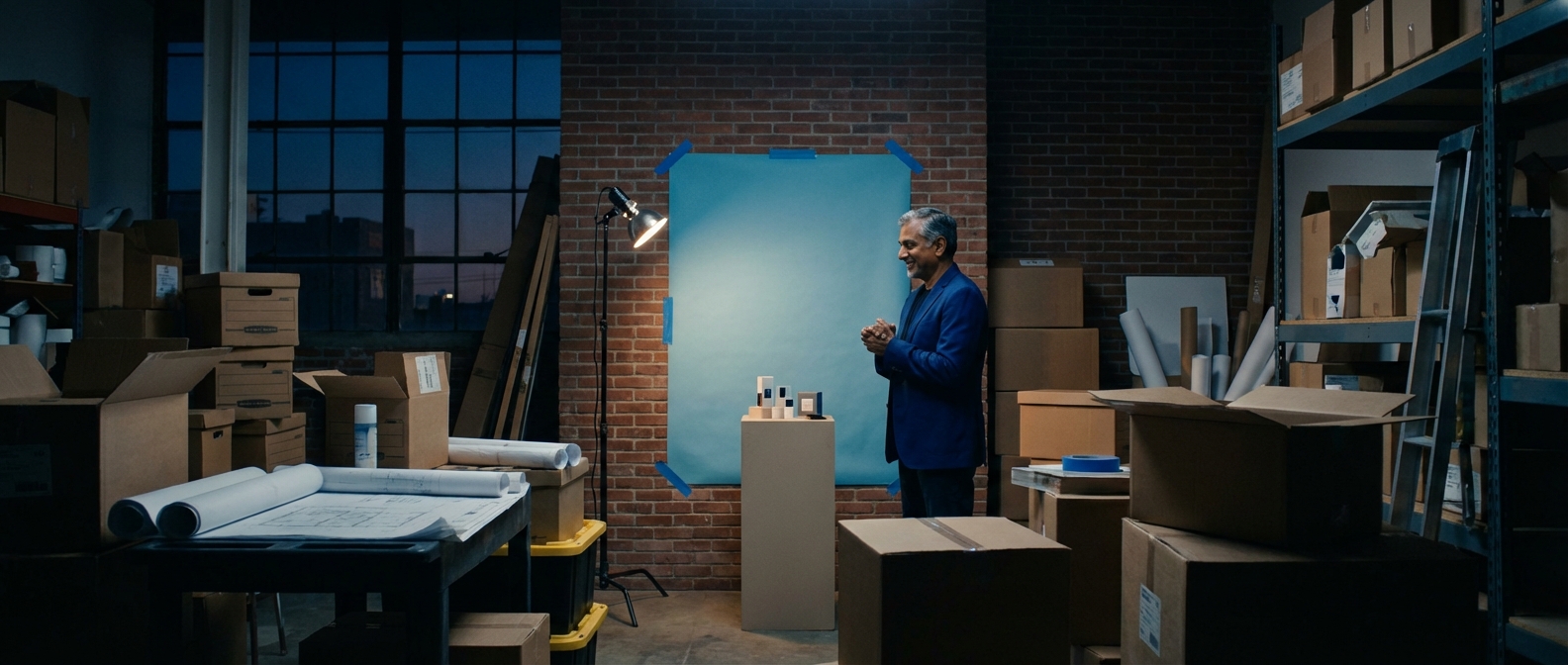
Smiling man in blue jacket standing in a warehouse with boxes, a blue backdrop, and studio lighting for small business headsh

You started a business, not a photography studio. Then the website launch is three weeks away, five people need matching photos, and a local photographer quote of $200 to $500 per person quietly ends the plan.

TeamShotsPro is from $29.99 per seat for 8 photos, minimum 2 seats, one-time, with a money-back guarantee. Each person uploads one selfie. Each generated image typically completes in about 60 seconds. Review the finished set for likeness and how well the shared style works across the team.

This guide is for founders and small teams who need consistent photos without an HR department or a studio day. If you only need your own portrait, start with Portreya. For a company-wide rollout, see company headshots.

Key Takeaways

  • Small businesses make up 99.9% of all U.S. businesses (SBA), and nearly 73% have fewer than 10 employees — yet most headshot guides are written for enterprise teams
  • On a small team page, each person's photo is prominent, so a shared visual direction can make the page easier to review as one set
  • Photographer quotes vary; using a $200-500-per-person working range, a new five-person TeamShotsPro order costs $143.95 in total, with 8 photos per person
  • On a 5-person team page, one mismatched headshot affects one fifth of the visible portrait set
  • One practical path is to choose a background direction, share selfie guidelines, and generate each AI headshot in about 60 seconds after upload; team completion depends on submissions and review
For the full team headshot strategy guide including enterprise-scale implementation, see our professional team headshots guide. For AI platform details, costs, and security, see our complete guide to AI headshots for teams. And once you have the photos, our team page design guide covers how to display them.

Why Small Business Headshots Matter More Than You Think

Let me be direct: professional headshots matter more for small businesses than for large companies. Not less.

On a large company's website, the team page is one touchpoint among many. On a five-person company's website, each portrait occupies a larger share of the page, so missing or visibly different photos are easier to notice.

You Are the Brand

In a small business, there's no corporate shield. Clients aren't hiring "the firm" — they're hiring you and the three or four people they'll actually work with. Your headshots are the closest thing to a handshake before the first meeting.

For a four-person advisory practice, review the team page as a whole. A current photo for each partner and colleague, with a shared background and clothing direction, can give visitors a clearer sense of the people they will work with.

Choose the photos together before publishing. Check that everyone looks recognizable and that lighting, crop, and styling work as a set.

The Small Team Magnifier Effect

On a 50-person team page, one mismatched headshot is a 2% problem. On a 5-person team page, it's a 20% problem. Every inconsistency is amplified.

A mix of studio portraits, phone selfies, and different crops can make a small team page feel visually uneven. Review the portraits side by side and decide whether a shared background, crop, or clothing direction would improve the set.

Consistency is one consideration alongside likeness and individual photo quality. The best balance depends on where the photos will appear and what the team wants to communicate.

The Trust Equation for Small Teams

Website first-impression research is often cited to show that visual presentation is noticed quickly; this summary reports a 94% design-related figure. It does not isolate team photos or prove that a headshot change causes more inquiries.

LinkedIn has reported higher profile activity for members with profile photos. Treat that as platform context rather than a guaranteed lift from a particular headshot style.


The Small Business Headshot Budget Reality

Let's talk about money. Because this is where most small business headshot plans die.

What Traditional Photography Actually Costs

Photographer quotes vary by market, session, usage rights, retouching, and travel. Using a $200-500-per-person working range, a five-person team would budget $1,000-$2,500 before any separately quoted costs.

Decide on a review cadence based on staff changes and where the photos are used. Our headshot update strategy guide lists events that can trigger a refresh; it is not a universal requirement to replace every photo after 12-18 months.

For a complete pricing breakdown including hidden fees, see our headshot cost guide.

The DIY Trap

The natural small business instinct is "we'll just take photos ourselves." I understand the impulse. DIY headshots can vary in lighting, camera position, crop, and background, especially when people photograph themselves in different locations.

One person takes their selfie by a window with morning light. Another uses overhead office fluorescents. The founder does theirs in the car (it happens more than you'd think). Each photo exists in its own visual universe, and when you put them side by side on a team page, the result screams "we didn't plan this."

If you're going to go the DIY route, our guide to taking headshots at home gives you the best possible starting point. But know that even with perfect guidelines, human-taken photos introduce variability that's hard to control.

Where AI Changes the Math

AI headshot platforms fundamentally alter the cost equation for small businesses. Here's what the numbers look like:

Traditional photography (illustrative 5-person budget): Using a $200-500-per-person working range gives $1,000-$2,500 total Coordination time depends on the team and photographer Session and delivery dates depend on the quote

AI headshots with TeamShotsPro (5-person team): $143.95 total for 5 people, a one-time payment with 8 photos each Graduated calculation: the first 4 seats at $29.99 plus the fifth at $23.99 No shared photo day; each person uploads one clear selfie on their own schedule Each generated image typically completes in about 60 seconds; team completion depends on uploads and review

Against that illustrative $1,000-$2,500 range, the $143.95 team order is about 86-94% lower before separately quoted photography costs. Compare the actual photographer quote and TeamShotsPro checkout total before deciding.


Five people. One team page you feel ready to share. Upload one clear selfie. Generate each image in about 60 seconds, then review the finished photos for likeness and intended use. [Upload a Selfie →] [Get Team Headshots →]


Headshot Options for Every Small Business Budget

Small businesses aren't all the same. A bootstrapped 3-person startup has different constraints than a 9-person law practice. Here's how to think about your options by budget level.

Budget: $0-$50 (The Lean Startup Approach)

If you're pre-revenue or watching every cent, here's the minimum viable headshot strategy:

Option A: Coordinated DIY. Pick one location in your office (or one well-lit spot if you're remote). Use the same wall or background for everyone. Shoot with the best phone available on the team. Follow our selfie tips guide exactly — especially the window lighting technique. Edit all photos with the same filter settings afterward.

Option B: Stretch the budget for a paid team order. A new three-person TeamShotsPro order costs $89.97 in total, paid once, with 8 photos per person. That is above this section's $50 budget. If $50 is your limit, choose coordinated DIY; if you can stretch it, the paid option gives your team a shared style to work from.

The two options involve different tradeoffs. Coordinated DIY requires the team to manage lighting, camera position, crop, and editing. With AI, review every finished photo rather than assuming professional quality automatically.

Budget: $100-$300 (The Smart Investment)

This is the sweet spot for most small businesses. At this level, you can outfit your entire team with professional AI headshots and have budget left over.

Use TeamShotsPro's team pricing to generate headshots for your full team. Include multiple variations per person so you can choose the best one for your team page, LinkedIn, and other platforms. Share the what to wear guide with your team beforehand to maximize quality.

At this price point, you can also afford to refresh headshots when you hire someone new — keeping your team page current without agonizing over the cost. For industry-specific guidance on how to present your team, see our headshots by industry guide.

Budget: $500-$2,500 (The Premium Option)

If your small business works in a field with formal profile or review requirements, such as financial services, legal, real estate, or healthcare, consider whether a hybrid approach fits the specific use.

Use AI headshots as your team-wide standard for web, LinkedIn, and marketing materials. Then invest in a single professional photography session for the founder or principal — the one face that appears everywhere from pitch decks to media appearances. This gives you consistency across the team with an elevated look for your most visible person.

This hybrid approach is exactly what we recommend in our professional team headshots guide — AI for the team, traditional for the highest-stakes individual shots.


The Small Business AI Headshot Playbook

Here is a practical process for a small-team rollout. Each image typically completes in about 60 seconds, while the full schedule depends on when people upload and how long review takes.

Step 1: Choose Your Look (15 Minutes)

Decide three things:

Background: Pick a solid color. Light gray is the safest choice — professional across every industry, doesn't compete with faces. If your brand has a specific color palette, you can use a muted version of your primary brand color. Avoid busy backgrounds.

Vibe: Do you want buttoned-up corporate or approachable-professional? For most small businesses, "approachable" wins — you're competing on relationships, not institutional prestige. Natural smiles over stiff poses.

Dress code: Send a simple brief to your team. Two sentences is enough: "Wear a solid-colored professional top — navy, charcoal, or dark jewel tones work best. Avoid patterns, logos, and pure white." For detailed guidance, share our what to wear guide.

Step 2: Get Good Selfies (5 Minutes Each)

Share these instructions with your team:

  • Face a window for soft, even lighting
  • Use the rear camera when practical
  • Frame from mid-chest up, with your face filling about 60-70% of the frame
  • Use a plain background to make the source photo easier to assess
  • Take one clear shot; additional source photos with slightly different expressions are optional
  • Remove sunglasses, hats, and heavy accessories
For the full walkthrough, share our professional headshot tips guide. If anyone works from home, our headshots at home guide covers a 10-minute window-lighting setup.

Step 3: Upload and Generate (10 Minutes Total)

Have each person upload one clear selfie to TeamShotsPro. A new seat includes 8 photos, and each generated image typically completes in about 60 seconds. Review the outputs for likeness and how well the shared style works across the team.

For a team of 5, each generated image takes about 60 seconds. Total generation time depends on how many images the team creates and when each person uploads. Compare that with the scheduling and coordination traditional photography requires.

Step 4: Pick Your Favorites and Deploy (20 Minutes)

Review the generated headshots as a group. Pick the best variation for each person. Then deploy everywhere:

  • Team page: Upload to your website. For layout guidance, see our team page design guide.
  • LinkedIn: Share LinkedIn-optimized versions with each team member. For LinkedIn-specific tips, see our LinkedIn headshots guide.
  • Email signatures: Add headshots to company email signatures for a professional touch.
  • Proposals and pitch decks: Include team photos in client-facing documents.
Budget for the whole team: a new five-person order costs $143.95 in total; a new ten-person order costs $263.90. Both include 8 photos per person as a one-time purchase. Allow time for everyone to upload, review and choose their photos.

One company look for your whole team.

Evaluate the quality with 3 test photos on a TeamShotsPro background. Paid seats let you set your company style.

Try it free

Small Business Headshots by Industry

What "professional" looks like varies by industry. Here's a quick guide for the most common small business categories — for deeper industry-specific guidance, see our headshots by industry guide.

Professional Services (Accounting, Law, Consulting)

Look: Polished and authoritative. Darker backgrounds (navy, charcoal) communicate gravitas. Blazers or suit jackets signal professionalism. For a small firm competing with larger practices, matching headshots immediately signal "we're serious."

Critical: Consistency is non-negotiable. Mismatched headshots on a 4-person law firm's website undermine the competence signal you're trying to send.

Tech Startups and SaaS

Look: Approachable and modern. Lighter backgrounds (light gray, muted brand colors) feel more current. Smart casual attire — no ties necessary, but clean and put-together. Show personality without going overly casual.

Critical: Speed of deployment. Startups hire fast. Build headshot generation into onboarding so new team members can start the workflow on day one; each image takes about 60 seconds to generate and publication follows review. See our headshot update strategy guide for how to keep pace with growth.

Real Estate

Look: Warm and trustworthy. Agents are their own brand, and clients choose based on personal connection. Friendly expressions, approachable poses. Background should be clean but not cold — light warm tones work well.

Check: Review the selected photo against the current size, crop, format, and branding requirements for each intended website, listing service, print piece, or social platform.

Creative Agencies and Freelance Teams

Look: Distinctive but cohesive. You have more room to express personality — but the headshots still need to match each other. Consistent backgrounds with room for individual expression in wardrobe and posing.

Critical: Your team page is your portfolio's supporting cast. If your work is visually excellent but your team photos look amateurish, the disconnect raises questions about quality standards.

Healthcare and Wellness

Look: Warm, competent, and approachable. Patients want to see friendly, trustworthy faces. Light backgrounds, genuine smiles, clean professional attire. Avoid looking too corporate — warmth matters more in healthcare.

Critical: Compliance with any industry-specific photo requirements for your practice's online profiles and insurance directories.


Common Small Business Headshot Mistakes (and How to Avoid Them)

These are common planning mistakes to check before a small-team rollout.

Mistake 1: "We'll Do Headshots Later"

This is the most common one. The website launches with placeholder silhouettes or no team page at all. "Later" becomes never. Meanwhile, every prospect who visits your site sees an incomplete company.

Fix: Do headshots before or on launch day. AI removes the shared photo-day scheduling problem; each image generates in about 60 seconds after upload, while the full rollout still depends on employee responses and review.

Mistake 2: Using Whatever Photos People Have

The founder uses their LinkedIn photo from three years ago. The operations person crops a group shot from last year's holiday party. The new hire submits a passport photo. You end up with a team page that looks like five different websites collided.

Fix: Use one shared visual direction and review the photos together. Existing photos may still work if their crop, background, and styling fit the intended page.

Mistake 3: Spending the Whole Budget on the Founder

Some small businesses invest in a professional studio session for the founder ($300-500) and skip everyone else. This actually makes the inconsistency worse — one polished photo next to phone selfies is more jarring than all phone selfies.

Fix: Budget for all the people clients will meet. For example, a new five-person TeamShotsPro order totals $143.95, so all five can work toward one consistent team page.

Mistake 4: Ignoring Updates After the Initial Set

You launch with a set of great headshots. A year later, you've hired two people and one person has completely changed their look. The team page slowly drifts from "professional" to "partially outdated."

Fix: Build headshots into your onboarding checklist and set an annual refresh reminder. Check the person's remaining photo allowance before buying more. New team orders have a two-seat minimum; use the current checkout total when budgeting for additional purchases. For a complete update strategy, see our headshot update guide.

Mistake 5: Overthinking It

Some founders spend weeks evaluating options, requesting quotes from multiple photographers, debating backgrounds and outfits in Slack threads — and the headshots still don't get done. Analysis paralysis is real, and it's especially common when the founder is also the marketing department, HR, and office manager.

Fix: Set a decision deadline, choose a background direction, and share the selfie guide. Generate and review each person’s photos before publishing; the full rollout depends on participation and review.


Solopreneurs and Founder-Led Teams: Special Considerations

If you're a solopreneur or a founder who is the brand, your headshot strategy has a few nuances.

The Personal Brand Factor

When you're the face of the business, your headshot isn't just a team page element — it's your brand asset. It appears on your website, LinkedIn, social media, email signature, podcast guest profiles, speaking engagement bios, and pitch decks. You need a headshot that works across all of these contexts.

A new TeamShotsPro seat includes 8 photos. Review the available results and crop or select them according to the requirements of LinkedIn, your website, or a speaking profile.

Growing From 1 to 5

Here's the transition that catches founders off-guard: you hire your first few employees, and suddenly your "brand" needs to expand from one face to several. The headshot you had done at a studio two years ago doesn't match anything your new hires can produce quickly.

One option is to generate a new founder photo using the same shared style as the team, then compare it with the existing portrait before deciding which to publish. Balance consistency with likeness and individual photo quality.

When Contractors and Part-Timers Are on Your Team Page

Decide whether contractors, fractional hires, or part-time team members belong on the team page based on their role, consent, and the accuracy of the relationship shown to visitors.

The logistics are the same: share the selfie guidelines and use the same team style for contractors who need a photo. Include them in your seat count and check the graduated total before purchasing.


Your Small Business Team Page: Making 5 People Look Like a Real Company

Having consistent headshots is step one. Displaying them effectively is step two. Here are the small-team-specific tips — for the full layout guide, see our team page design guide.

Layout for Tiny Teams

For 3-5 people, test a 3-column grid on desktop and a readable single-column or stacked layout on smaller screens. For 6-10 people, compare 3- and 4-column desktop layouts. Choose the layout after checking real names, bios, image crops, and mobile behavior.

Bio Consistency

On a 5-person team page, bio length variance is extremely visible. If the founder has a 150-word bio and the newest hire has 10 words, it signals a hierarchy that might turn off visitors expecting a collaborative culture.

Keep all bios at the same length — 40-80 words for grid layouts. Include the same elements for everyone: role, relevant background, one personal detail.

Show Depth Without Overstating

It's tempting to inflate a small team page with fancy titles or padding. Don't. Visitors can see through "VP of Strategic Initiatives" on a 4-person team. Use honest, clear titles. The professional headshots already signal credibility — let them do the heavy lifting.


Make Your Small Team Look Like a Million Bucks

Here's what it comes down to. A small team can define a shared visual direction without an enterprise process. Start with one clear selfie per person and allow time to review the generated photos for likeness, crop, clothing, and how the set works together.

Choose the process that fits the team’s budget, schedule, and quality requirements. Compare the actual outputs and costs rather than assuming that speed or spending determines credibility.

TeamShotsPro helps your small team look like the business clients can confidently get to know. A new five-person order costs $143.95 in total, paid once, with 8 photos per person. Each person can upload a clear selfie when it suits them.

[Get professional headshots for your small team →]


Your small business headshot toolkit:


Professional Headshots for Your Small Team — Without a Shared Photo Day

Give every person on your small team a photo that belongs on the same company page. A new five-person TeamShotsPro order costs $143.95 in total, paid once, with 8 photos each. New team orders start at two seats for $59.98 in total.

Your small team deserves headshots that look like a team. Generate each image in about 60 seconds; team completion depends on uploads and review.

[Get started with TeamShotsPro →]


Frequently Asked Questions

How much do small business headshots cost?▼

Photographer quotes vary by market, session, usage rights, retouching, and travel. Using a $200-$500-per-person working range, a five-person team would budget $1,000-$2,500 before any separately quoted costs. A new five-person TeamShotsPro order costs $143.95 in total, paid once, with 8 photos per person. New team orders have a two-seat minimum ($59.98 in total). For more pricing variables, see our headshot cost guide.

Are AI headshots good enough for a professional small business?▼

A vendor survey of 500 hiring professionals reported that 62% could not distinguish the examples shown from traditional headshots. Treat this as one vendor-reported perception study, not evidence of universal quality or acceptance. TeamShotsPro provides shared style settings, but outputs vary; review every finished photo for likeness and intended use. See examples in our AI headshot before and after gallery.

Do solopreneurs need professional headshots?▼

A current portrait can help a solopreneur present the same identity across LinkedIn, a website, proposals, speaking biographies, and email signatures. Review the chosen photo for likeness and fit with each use rather than assuming a guaranteed return. If you only need your own portrait, start with Portreya. TeamShotsPro is from $29.99 per seat for small teams, with a minimum of 2 seats.

How do I get matching headshots for a small team on a tight budget?▼

Use one shared visual direction for the team, then review the finished photos together; shared settings do not guarantee identical lighting, backgrounds, or composition. Each person can upload one clear selfie, and additional source photos are optional. Share the selfie preparation tips and what to wear guide with the team. A new TeamShotsPro seat includes 8 photos. Each generated image typically completes in about 60 seconds; total team timing depends on uploads and review.

Should I include contractors and part-time team members on my team page?▼

Decide whether contractors and part-time colleagues belong on the team page based on their role, consent, and the accuracy of the relationship shown to visitors. If included, use the shared visual direction and review their finished photos with the rest of the set. TeamShotsPro is from $29.99 per seat, paid once, with a money-back guarantee.

What should small business team members wear for headshots?▼

Choose clothing for the intended context and the team’s approved visual direction. Solid navy, charcoal, or dark jewel tones can make a set easier to coordinate; test clothing against the selected background rather than assuming one color works best for everyone. Avoid distracting patterns, visible logos, and reflective fabrics when they conflict with the brief. For more options, see our what to wear guide.

How often should a small business update team headshots?▼

Choose a review cadence based on staff changes, appearance changes, brand updates, and where the photos are used. Update individual photos when needed rather than applying a universal 12-18-month replacement rule. For later refreshes, check remaining photo allowances and the current price of any additional purchase. Add photo review to onboarding so each destination has an owner. For more triggers, see our headshot update guide.

A few minutesper generated photo

Ready to get started with TeamShotsPro?

Give every new hire a photo that fits the team. Keep one professional presence across your directory, LinkedIn and website.

Try 3 free test photos

No credit card needed

Matthieu van Haperen

About the Author

Founder & CEO, TeamShotsPro

Matthieu van Haperen runs TeamShotsPro and writes about professional photography, team branding, and practical ways distributed teams can keep employee imagery consistent.

Connect on LinkedIn →