Can AI Create a Team Photo? Matching Headshots Explained

MH
Matthieu van HaperenFounder & CEO, TeamShotsPro · Updated Sep 2026

TL;DR: Quick Answer

Can AI create a team photo? Yes: matching individual headshots from one selfie each, not a fake group portrait.

Team photo AI and AI headshots for teams are the same job: one style, one admin, one invoice.

New TeamShotsPro accounts currently receive 3 branded test photos for quality evaluation; paid seats include 8 photos at the current published price.

Larger rollouts use the same workflow at 50+ people, but procurement should confirm any DPA, certification, processing-region, or deletion-SLA requirement before purchase.

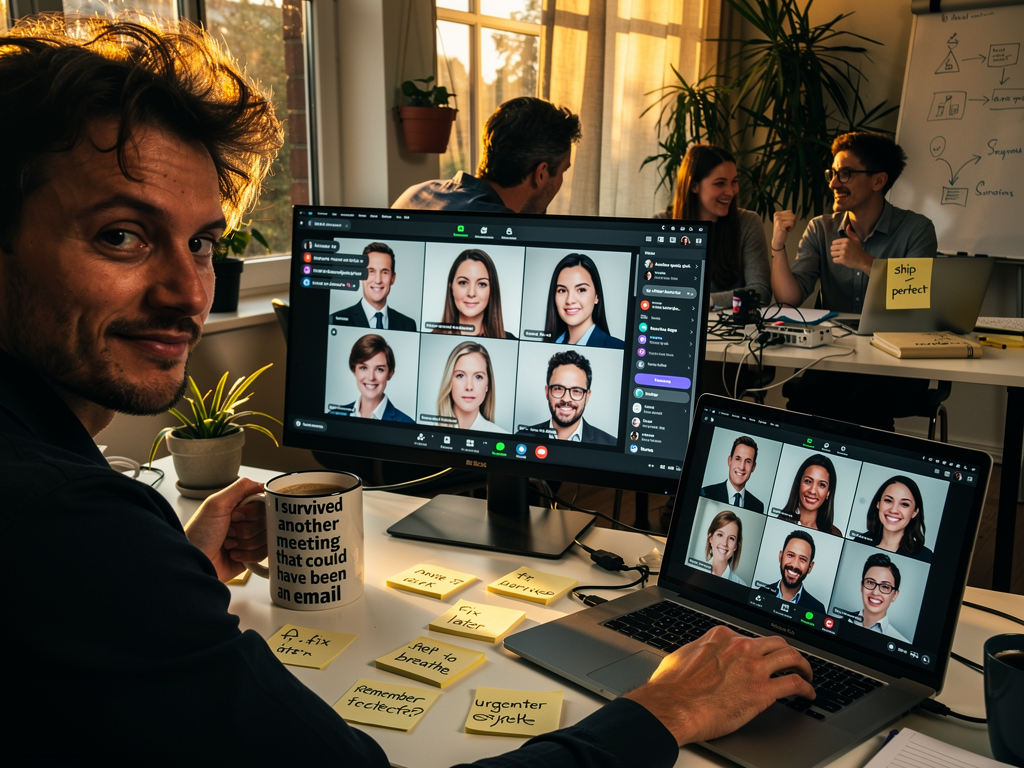
Smiling man holding a mug, looking at the camera. Two monitors display ai headshots for teams. Coworkers chat in background.

Can AI create a team photo? Yes, if you mean matching professional headshots for the whole company. Team photo AI does not put ten people who never met into one studio frame. Each person uploads one clear selfie, and the generator returns a consistent set. TeamShotsPro is built for AI headshots for teams. New accounts currently receive 3 test photos on a TeamShotsPro background for quality evaluation; paid seats include 8 photos and use the current published pricing. Traditional studio sessions still run $200 to $500 per person plus scheduling.

Key Takeaways

  • Firms replace per-person studio sessions ($200 to $500 each) with AI generation at a fraction of the cost, and remove the scheduling overhead entirely
  • New TeamShotsPro accounts currently receive 3 test photos on a TeamShotsPro background for quality evaluation. Paid seats include 8 photos and use the current published pricing; see pricing and company headshots.
  • Current provider, retention, and deletion-request details are published in the Privacy Policy

Can AI Create a Team Photo?

Yes. AI headshots can provide the individual portraits for a matching team photo grid. Each person uploads one clear selfie; additional source photos are optional. Accounts with beta access can also create one team image of up to 5 people from those headshots.

With paid team seats, an admin sets the company style within the available package and controls. Review each person's selected image for likeness, visible errors and fit with the set before publishing. Remote colleagues can participate without a shared photo session, and new hires can follow the same process. Explore team headshots for the company workflow.

This guide is for teams evaluating a practical matching-headshot workflow. For a rollout with 50 or more employees or multiple offices, see our corporate headshot rollout guide. If procurement requires a DPA, a fixed processing region, a certification, or a deletion SLA, contact us before purchasing or inviting employees so we can confirm what is currently available. For a broader team-headshot strategy, see our professional team headshots guide. Our team page design guide covers how to display the finished set.

The traditional approach is broken. Coordinating photographers across multiple offices, managing remote team scheduling, and maintaining brand consistency has become an operational nightmare. Partners waste hours on logistics while new hires wait weeks for professional photos.

Smart firms have found a better way. No more photographer coordination. No more office disruptions. Just consistent, professional team photos that enhance your firm's credibility.

Here's why some professional services firms are making the switch, and what to verify before your firm adopts the workflow.

What team photo AI is

Team photo AI is software that turns each person's selfie into a matching professional headshot so the company page looks like one photoshoot. It is the usual answer when someone asks whether AI can create a team photo. The output is a grid of individual portraits with the same crop, background, and lighting. It is not a fake group portrait of people who were never in the same room.

An admin picks the look once. Each person uploads one clear selfie. Matching files come back in about 60 seconds per image. New hires use the same settings, so the set stays consistent. TeamShotsPro currently provides 3 test photos on a TeamShotsPro background for quality evaluation; paid seats include 8 photos and use the current published pricing.

If you only need your own LinkedIn photo, use Portreya. Portreya accounts are free to create, but generation requires a paid one-time pack at the current published price. Tools that generate lifestyle shots for one person are a different job. See Photo AI if you are comparing a personal image model with a team headshot rollout.

Headshots for a larger team

At 50 or more people, the matching-photo job adds more coordination: an admin, a shared style, invites, progress tracking, and volume seat pricing. The photos still need to land in the directory, on LinkedIn, and in proposals without booking another photographer day in every office.

TeamShotsPro supports that workflow with graduated seats and a shared look. This does not mean every enterprise procurement requirement is included. We do not currently offer a pre-approved DPA. If your organization requires one, contact us before purchasing or inviting employees. We will confirm in writing whether we can support the rollout. See company headshots for the workflow, corporate headshots for larger organizations, and pricing for current seat rates.

A photographer on site still makes sense for group candids, office culture shots, and a leadership session where the room itself is part of the picture. The repeating individual-headshot portion is the part a remote AI rollout can cover.

TrueYouAI and other personal generators

TrueYouAI is a personal AI photoshoot. You upload 5 to 10 selfies and get a large set of 4K portraits for dating apps, LinkedIn, and social profiles. Public pricing on their site is one-time packs from $9 to $69, with standard delivery in 24 hours. There is no team admin, no shared brand lock, and no per-seat company invoice.

That is a fair product if one person wants many style variants. It is the wrong tool if HR needs matching files across a company. TeamShotsPro is the team path: 3 test photos on a TeamShotsPro background for quality evaluation, then 8 photos per paid seat at the current published price. Individuals who only need a personal portrait should use Portreya, not a team seat.

Why Professional Services Firms Are Abandoning Traditional Photography in 2026

Professional services firms face mounting costs and operational challenges with traditional photography, making AI headshots the preferred solution for team imagery needs. Traditional studio sessions cost $200-500 per person while requiring complex scheduling across multiple offices and time zones.

The financial impact hits hardest during growth periods. At $200 to $500 per person, photographing a 100-person firm is a five-figure line item before you add coordination time, travel, and lost productivity.

AI headshots for teams cut that cost to a fraction while ending the scheduling burden. Pricing is seat-based with graduated volume discounts, each seat includes 8 photos, and the per-seat rate decreases as your team grows (current rates are on the pricing page). The system works without coordinating calendars, booking studios, or managing travel across offices.

The Multi-Office Coordination Crisis

AI headshots for teams solve the chaos of booking photo shoots across multiple locations.

Control gets messy with multiple photographers. Each shoot brings new lighting, backgrounds, and styles. The result? Headshots that scream 'different companies.' AI headshots for teams solve this brand chaos.

Annual Updates: The Hidden Cost Multiplier

Traditional photography makes regular updates financially unrealistic due to high session costs and scheduling complexity. Most firms update headshots every three to four years instead of annually, creating inconsistent brand presentation. New hires often wait months for professional photo sessions, relying on temporary smartphone images or outdated photos that significantly undermine established brand standards and professional credibility.

The admin work makes these delays even worse, since HR teams waste hours on photographer bookings and rebookings while juggling complex logistics that pull staff away from real business priorities. When you factor in the back-and-forth emails, calendar conflicts, and last-minute changes that photographers often require, the hidden costs start piling up fast. Smart companies are switching to ai headshots for teams because they eliminate all this friction while delivering consistent professional results.

Why AI Headshots Are Winning

TeamShotsPro gives distributed teams one workflow for individual headshots. With paid team seats, an admin sets the company style within the available package and admin controls. Each participant uploads one clear selfie; additional source photos are optional. New colleagues can follow the same process when they join.

Shared settings provide a visual direction for the set. Review each selected photo for likeness, visible errors and fit with the company style before publishing it. The time needed to finish the directory depends on employee responses, review and publication.

How AI Headshots Solve the Professional Services Photo Challenge

AI headshots for teams cut out the scheduling chaos and generate each matching photo in about 60 seconds after upload.

Professional services firms have long struggled with the logistics of team photography. Coordinating schedules across multiple offices, finding available photographers, and ensuring consistent quality has made updating team photos a dreaded project.

AI technology has fundamentally changed this equation. Platforms like TeamShotsPro can quickly generate professional headshots from basic selfie uploads. No photographer visits required.

Quality That Passes Professional Standards

Define what an acceptable headshot looks like for your company before inviting the wider team. Review a small paid starter group's results at the size they will appear on your website or directory. Ask each participant to check their likeness and the project owner to check the shared style. Expand once each person has at least one photo they and the project owner accept for the intended use.

Consistent Branding Across All Locations

For the full team implementation guide including consistency strategies, see our team headshots guide.

Cost Structure That Makes Sense

For detailed pricing, see our headshot cost guide and team pricing calculator.

Operational Benefits

The process eliminates common friction points. No more scheduling around photographer availability. No office disruption during photo shoots. Remote employees can participate equally without travel requirements.

For firms managing rapid growth or frequent hiring, this creates significant advantages. New team members can start the headshot workflow before their first client meeting; each image takes about 60 seconds to generate, while use in client-facing materials depends on review. Professional headshots cost analysis shows the time savings alone justify the switch for most firms.
One company look for your whole team.

Evaluate the quality with 3 test photos on a TeamShotsPro background. Paid seats let you set your company style.

Try it free

Quality Standards: When AI Headshots Meet Professional Acceptance

An AI-generated headshot needs the same practical review as any image you publish for your company. Start with one clear selfie per person and agree on the intended background, clothing direction and framing within the available controls.

What Makes AI Headshots Professional-Grade

Check each selected photo against four criteria:

  • Likeness: the participant recognizes the result as an accurate representation of them.
  • Image quality: facial features, glasses, hair, clothing and visible details have no distracting errors.
  • Consistency: the selected photos work together in background, framing and overall style.
  • Intended use: the image remains suitable at the actual crop and display size on your website or directory.
Ask the participant and the project owner to accept the final selection before publication. Keep unresolved photos in review and allow time to address them before expanding the rollout.

For questions to compare across providers, see our 8-platform review.

Preparing Your Team for AI Headshots

The quality of AI headshots depends heavily on the source photos your team members upload. Share these resources with your team before the rollout:

Selfie preparation: Our professional headshot tips guide covers the lighting, angles, and expressions that produce the best AI results. The difference between a poorly-lit phone selfie and a well-lit one is the difference between a mediocre and excellent AI headshot.

What to wear: Team members don't need to buy new clothes, but certain colors and fabrics photograph dramatically better than others. Our what to wear for headshots guide covers the specific colors, fabrics, and styles that work best, and the common mistakes (busy patterns, pure white, shiny fabrics) that create problems.

DIY source photos: For remote team members without access to professional lighting, our guide to taking professional headshots at home walks through a 10-minute window-lighting setup that produces excellent source photos for AI generation.

Industry standards: If your team includes client-facing professionals in specific industries, our professional headshots by industry guide covers the dress codes, background preferences, and styling expectations for tech, finance, healthcare, legal, real estate, and creative fields.

Displaying the results: Once your team has consistent headshots, our team page design guide covers layout choices, sizing specs, bio structure, and mobile optimization for your company's team page.

Privacy and security questions for professional services

Professional services firms should review a headshot platform as a vendor that handles personnel images. The questions that matter include where photos may be stored, which providers can process them, who can access them, what each provider may retain, and how deletion requests are handled.

TeamShotsPro uses third-party AI providers to perform safety checks and generate requested headshots. Selecting a selfie may upload, store, and analyze it before the review step is complete. The current Privacy Policy names the provider routes and explains deletion requests. TeamShotsPro does not currently offer a pre-approved DPA; contact us before purchasing or inviting employees if your organization requires one.

What to verify with any vendor

  • Clear provider, storage, and deletion disclosures
  • A clear retention policy and a working deletion path
  • Whether source photos or results feed model training
  • Access controls that keep one client's photos isolated from another's
Law firms, accounting practices, and consulting companies operating under client-confidentiality obligations should get these answers in writing during procurement, whichever platform they choose. A vendor that cannot answer them quickly is the wrong vendor for a regulated environment.

ROI and Implementation Strategy for Team Photo Projects

AI headshots reduce team photography costs by up to 90%. For detailed pricing across providers, hidden fees to watch for, and a full ROI calculator, see our headshot cost breakdown

Implementation Timeline Advantages

Old photo shoots need major planning. Book 100 staff across many sessions. Add travel time, makeup, outfit changes. Most companies need 2-3 months for full team coverage.

AI headshots compress this timeline dramatically, revolutionizing corporate photography workflows. Each image takes about 60 seconds to generate after upload. Full directory timing depends on employee responses, review, and publication; new hires can start the workflow during onboarding. Given that structured onboarding makes employees 50% more productive according to SHRM research, removing friction from even small steps like headshot generation helps new team members feel integrated faster. This streamlined process reduces costs, improves consistency across all employee portraits, and ensures company directories remain current and professional-looking.

Strategic Integration Points

Onboarding Process:

  • Include headshot generation in new employee paperwork
  • HR uploads photos during orientation week
  • Marketing receives consistent brand assets after generation and review
Quality Control Framework:
  • Establish photo style guidelines before implementation
  • Review samples with leadership team
  • Create approval workflow for client-facing roles

Addressing Team Concerns

Some employees express hesitation about AI-generated photos. Address these concerns proactively:

  • Share sample results showing professional quality
  • Emphasize convenience over traditional studio sessions
  • Highlight cost savings benefiting company resources
  • Offer choice between multiple generated options
Change Management Success Factors:
  1. Leadership adoption first
  2. Clear communication about quality standards
  3. Voluntary pilot program with early adopters
  4. Feedback collection and process refinement
Modern professional services firms recognize AI headshots as standard practice. The technology delivers measurable ROI through reduced costs, faster implementation, and improved team consistency.

For detailed cost breakdowns across different team sizes, check out our comprehensive guide on professional headshots cost analysis.

Industry-Specific Team Guides

Looking for guidance tailored to your industry? See our dedicated rollout guides:

Transform Your Team's Professional Image Today

AI-powered headshots are becoming the standard for forward-thinking professional services firms. Organizations that embrace this technology now gain a competitive advantage in both efficiency and cost management.

  • Speed advantage: Generate professional headshots quickly versus weeks of photographer coordination
  • Cost efficiency: A fraction of traditional photography sessions costing $200 to $500 per person
  • Scalability: Maintain visual consistency across multiple offices and rapid hiring cycles
For partners managing multi-office branding or HR teams handling continuous onboarding, AI headshots eliminate the logistical nightmare of traditional photography while delivering studio-quality results that meet professional standards.

Related Reading

Ready to upgrade your team's photos? TeamShotsPro makes quality headshots easy for companies of any size. Start updating your company's look without coordinating a shared photo day; each generated image takes about 60 seconds, while the rollout depends on employee responses and admin review.

Get started with TeamShotsPro today →

Frequently Asked Questions

Can AI create a team photo?▼

Yes. Each team member uploads one clear selfie and the AI generates professional headshots in a shared style, producing a consistent team photo grid without a group photoshoot. What it does not produce is a single merged group shot of people photographed separately; team pages use a matched set of individual headshots.

How much do AI headshots cost compared to traditional team photography?▼

New TeamShotsPro accounts currently receive 3 test photos on a TeamShotsPro background for quality evaluation. Paid seats include 8 photos and use the current published graduated pricing. Studio sessions run $200 to $500 per person before coordination time and travel. See the pricing page for the current team total.

How long does it take to generate AI headshots for an entire team?▼

TeamShotsPro generates each professional headshot in about 60 seconds after upload. Team members can generate concurrently without scheduling a shared photo session; total rollout time depends on employee responses and admin review.

Are AI headshots secure enough for professional services firms?▼

Review the current Privacy Policy and your own procurement requirements before rollout. TeamShotsPro uses HTTPS, access controls, and third-party AI providers, supports deletion requests, and does not promise automatic deletion after 30 days. We do not currently offer a pre-approved DPA; contact us before purchasing or inviting employees if your organization requires one.

What's the quality difference between AI headshots and traditional photography?▼

AI headshots can support a shared company style, while a photographer can direct the session and capture people in a real setting. Evaluate the actual photos against your needs. With TeamShotsPro, review each selected image for likeness, visible errors, framing and brand fit, then have the participant and project owner accept it before publication.

How do you manage brand consistency across AI-generated team photos?▼

With paid team seats, an admin sets the company style within the available package and admin controls. Team members generate within those settings. Review the selected photos together for consistent backgrounds, framing and overall style before publishing the set.

Can remote employees use AI headshots for company branding?▼

Yes, remote employees can easily create professional headshots using TeamShotsPro from anywhere with just smartphone selfies. This eliminates geographic barriers and scheduling conflicts, ensuring all team members have consistent, high-quality professional photos for company branding and marketing materials.

What is team photo AI?▼

Team photo AI turns employee selfies into matching professional headshots so a company page looks like one photoshoot. TeamShotsPro currently provides 3 test photos on a TeamShotsPro background for quality evaluation; paid seats include 8 photos at the current published price.

How does a team headshot rollout change at 50 or more people?▼

Larger rollouts add an admin, a shared style, invitations, progress tracking, and volume seat pricing. TeamShotsPro supports that workflow, but organizations should confirm any DPA, certification, processing-region, or deletion-SLA requirement before purchasing or inviting employees.

Is TrueYouAI a team headshot tool?▼

No. TrueYouAI is a personal AI photoshoot. TeamShotsPro is the team product: one selfie per person, 3 test photos on a TeamShotsPro background for quality evaluation, then 8 photos per paid seat at the current published price. Portreya is the paid personal-generation path.

Can AI create a group photo of the whole team in one frame?▼

Not as a reliable company asset. Team photo AI produces matching individual headshots. A single merged group shot of people who were never photographed together is not what TeamShotsPro ships. Hire a photographer for a real group photo. Use TeamShotsPro for the matching headshot grid.

How is team photo AI different from a personal AI headshot generator?▼

Team photo AI is one style, one admin, one invoice, and matching files for everyone. A personal generator is one person choosing styles. TeamShotsPro provides 3 test photos on a TeamShotsPro background before paid seats; Portreya accounts are free to create but generation requires a paid pack.

Side-by-side comparisons with alternatives

If you are evaluating vendors, these honest side-by-sides break down pricing, features, and who each tool is best for.

See all alternatives

A few minutesper generated photo

Ready to get started with TeamShotsPro?

Give every new hire a photo that fits the team. Keep one professional presence across your directory, LinkedIn and website.

Try 3 free test photos

No credit card needed

Matthieu van Haperen

About the Author

Founder & CEO, TeamShotsPro

Matthieu van Haperen runs TeamShotsPro and writes about professional photography, team branding, and practical ways distributed teams can keep employee imagery consistent.

Connect on LinkedIn →