Remote Team Headshots: Consistent Photos for Distributed Teams
Matthieu van Haperen
Founder & CEO, TeamShotsPro · Updated Feb 2026
TL;DR: Quick Answer
Traditional photography falls apart when your team spans multiple cities — different photographers, different lighting, different everything
Remote teams waste $15,000-$50,000+ annually coordinating headshots across locations, or give up and let their team page turn into a visual mess
AI headshot platforms like TeamShotsPro solve this by generating consistent, studio-quality headshots from selfies uploaded from anywhere in the world — in 60 seconds
$10.49-$29.99 per person vs. $200-500+ per person for traditional photography, with zero travel or coordination overhead
The result: every team member — from your San Francisco office to your contractor in São Paulo — gets identical lighting, backgrounds, and professional polish

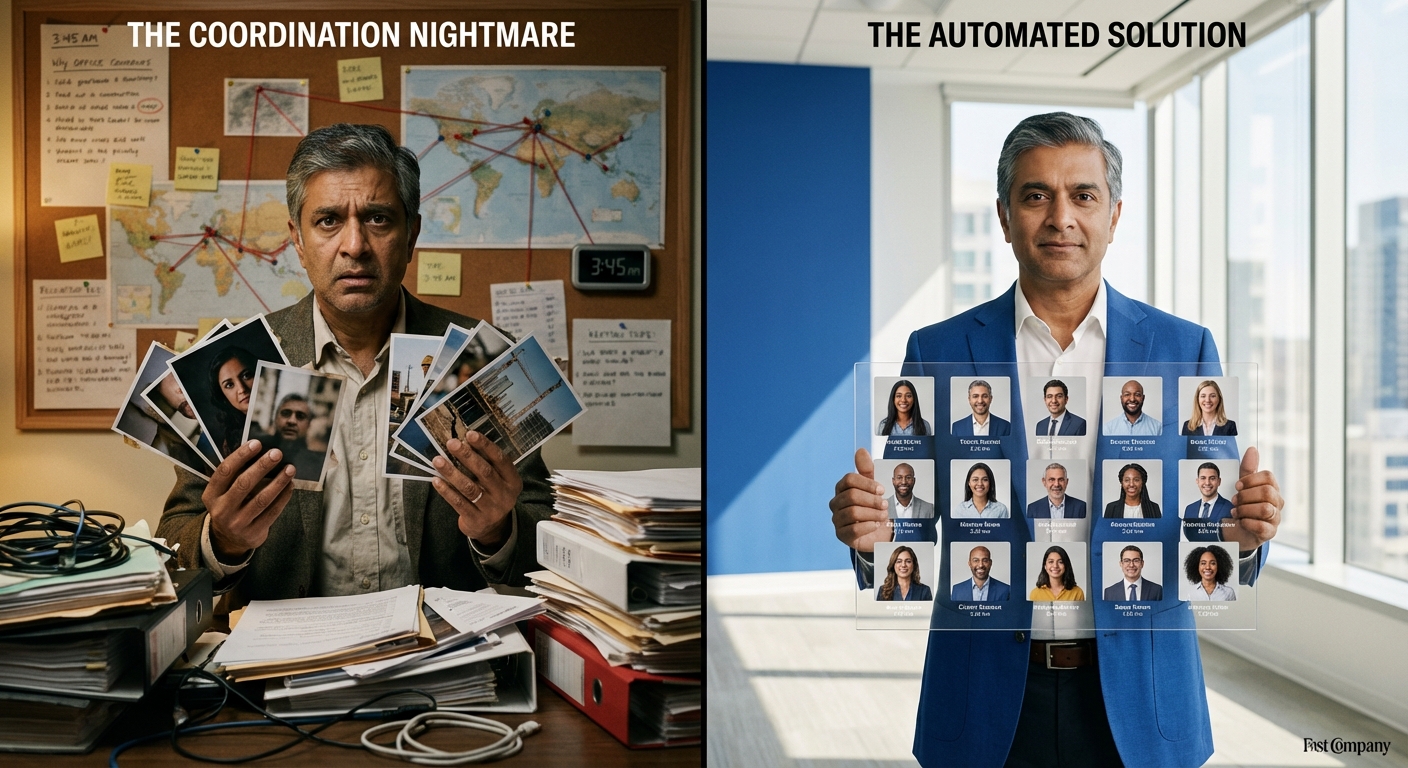
Your engineering lead is in Berlin. Your head of marketing works from Austin. Three contractors are spread across Southeast Asia. And your newest hire starts Monday from her apartment in Toronto.
Now try getting them all matching headshots.
I've watched this exact scenario play out with dozens of companies. The CEO decides it's time for a proper team page refresh. Someone in marketing starts a spreadsheet. Emails go out. And then the chaos begins: time zone conflicts, photographer availability mismatches, "can we push my session to next month," and the inevitable result — a team page where half the photos look like they're from different decades.
Here's the thing. Coordinating headshots for a distributed team isn't just harder than doing it for a co-located team. It's a fundamentally different problem. And it requires a fundamentally different solution.
This guide is the one I wish existed when companies first started asking me how to solve this. It covers why traditional approaches break down for remote teams, what actually works, and the exact playbook to get consistent professional headshots for your distributed workforce — regardless of where your people happen to be sitting.
Key Takeaways
- Distributed teams face a unique headshot challenge that traditional photography can't solve — different photographers across locations produce inconsistent results by default
- Approximately 23% of U.S. employees work remotely at least part of the time, and that percentage is growing — the headshot coordination problem isn't going away
- Brand consistency drives a 23% average revenue increase according to research from Lucidpress (now Marq), making visual consistency across your team a business priority, not a vanity project
- AI headshot platforms eliminate geographic barriers entirely — team members upload selfies from anywhere, and the AI applies identical professional styling
- The most effective approach combines an async-first workflow with clear preparation guidelines distributed to all team members before upload day
If you're specifically evaluating AI platforms for your team, our complete guide to AI headshots for teams covers costs, quality, security, and implementation. And once you have your headshots, our team page design guide covers how to display them effectively.
Why Remote Teams Face a Fundamentally Different Headshot Challenge
Let's be clear about what we're dealing with. This isn't just a scheduling problem. It's a consistency problem wrapped in a logistics problem wrapped in a budget problem.
The Photographer Variable
When your 40-person team is spread across eight cities, you're not hiring one photographer. You're hiring eight. Each with their own equipment, lighting setup, style preferences, and interpretation of "professional headshot." The result? Eight different looks that share nothing except the fact that everyone is vaguely facing the camera.
I worked with a 65-person consulting firm in late 2025 that had offices in New York, Chicago, London, and Singapore. They'd been doing headshots locally for years — quality photographers in each city, clear brand guidelines sent to all of them. The photos still looked like they belonged to four different companies. The New York shots had warm, golden lighting. London was cool and flat. Singapore used a completely different background shade. Chicago landed somewhere in between.
The brand guidelines were fine. The execution was impossible to standardize across four different human beings with four different setups.
The Time Zone Tax
Coordinating anything across time zones is painful. Coordinating something that requires scheduling a physical service provider in each location? That's a project management nightmare.
The math gets ugly fast. If you have team members across US Pacific, US Eastern, Central Europe, and East Asia, there are exactly zero overlapping business hours that work for everyone. Every scheduling decision becomes a chain of dependencies: the photographer in Berlin is available Tuesday, but the three Berlin team members have client meetings. Can we do Thursday? The photographer has another booking. Next week? Two of the team members are traveling.
Multiply this across every location and you understand why most distributed companies simply give up on headshot consistency.
The New Hire Gap
This is the one that really stings. You spend months getting everyone's headshots aligned. Your team page looks fantastic. Then you hire four people in Q3 — in three different cities — and suddenly you're back to square one with placeholder silhouettes and mismatched photos.
For fast-growing remote companies, the team page is perpetually out of date. Traditional photography can't keep pace with distributed hiring because every new employee in a new location means finding, vetting, briefing, and scheduling yet another local photographer.
The Real Cost of Inconsistent Remote Team Photos
Before I get into solutions, let's quantify what this problem actually costs. Because "our team page looks a bit messy" significantly undersells the business impact.
Brand Credibility Takes a Direct Hit
Research from Lucidpress (now Marq) found that consistent brand presentation increases revenue by an average of 23%. Their survey of over 400 brand management experts revealed that brands presented consistently are 3-4 times more likely to enjoy excellent brand visibility.
Your team page is part of your brand presentation. When a prospect visits your website and sees a patchwork of mismatched photos — some professional, some clearly taken with a phone, some with white backgrounds, others with office clutter — they're not consciously thinking "this team has inconsistent headshots." They're subconsciously registering "this company doesn't have its act together."
In B2B, where 74% of buyers research vendors online before speaking to a rep (Forrester), that impression forms before your sales team ever gets a chance to talk.
Coordination Costs Are Hidden but Massive
Let's run some real numbers. A 50-person distributed team across five cities:
- 5 photographers to source, vet, and brief: ~8-12 hours of HR/marketing time
- Scheduling coordination across time zones: ~15-20 hours over 4-6 weeks
- Photography sessions: $200-500 per person × 50 = $10,000-$25,000
- Travel costs for team members who need to reach the nearest photographer: variable, but easily $2,000-$5,000 in aggregate
- Post-production and quality review: 5-10 hours ensuring some degree of consistency
- Rescheduling missed sessions (assume 15% no-show/conflict rate): 3-5 additional hours + photographer rebooking fees
- Total: $15,000-$35,000+ and 35-50 hours of coordination time
The Recruitment Disadvantage
Your team page doesn't just matter for clients. It matters for candidates. Top talent evaluates your company's visual presentation during their research phase. A polished, consistent team page signals organizational maturity. A messy one raises questions about culture and attention to detail — especially for candidates evaluating remote-first companies, where visual presence is your only physical impression.
5 Approaches to Remote Team Headshots (Compared)
Not every solution works for every team. Here's an honest breakdown of the options.
The five main approaches for distributed team headshots are: local photographers in each city ($200-500/person, poor consistency), flying everyone to one location (perfect consistency but prohibitively expensive), live virtual photography sessions ($50-150/person, limited quality), DIY with guidelines (free but wildly inconsistent), and AI headshot platforms like TeamShotsPro ($10.49-$29.99/person, perfect consistency with zero coordination). For most distributed teams, AI platforms deliver the best balance of quality, consistency, and cost.
1. Local Photographers in Each City (Traditional)
How it works: Hire a photographer in each location. Send brand guidelines. Schedule sessions. Pros: Real photography. Each team member gets an in-person experience. Cons: Expensive ($200-500/person). Consistency is nearly impossible across multiple photographers despite brand guidelines. Scheduling is a logistical nightmare. New hires require rebooking. Scales terribly. Best for: Small teams with 1-2 locations max.2. Flying Everyone to One Location
How it works: Bring the team to HQ (or a central location) for a group shoot. Pros: Perfect consistency — one photographer, one setup, one day. Also doubles as a team-building event. Cons: Astronomically expensive when you factor in flights, hotels, and lost productivity. Impractical for teams spanning multiple continents. Can't scale for new hires between offsites. Best for: Annual company offsites where photography is a bonus, not the primary purpose.3. Live Virtual Photography Sessions
How it works: A photographer directs each team member via video call, coaching them on lighting, posing, and expression while they use their own phone or laptop camera. Pros: Some professional guidance. No travel required. Cons: Quality is limited by each person's camera, lighting conditions, and internet connection. Consistency depends on home environments that vary wildly. Still requires scheduling individual sessions. Costs $50-150 per person. Best for: Executive portraits where a personal touch matters and the team member has a decent home setup.4. DIY With Guidelines
How it works: Send detailed photo guidelines and have each team member take their own headshot using a phone. Pros: Free (or near-free). No scheduling required. Cons: Wildly inconsistent results. Most people are not good at photographing themselves. Different phones produce different quality. Lighting varies enormously. You'll spend more time giving feedback and requesting retakes than you saved. Our guide to taking professional headshots at home can help — but even with perfect guidelines, the human variable introduces inconsistency. Best for: Absolute minimum budgets with teams that have low-stakes visual needs.5. AI Headshot Platforms (The Distributed Team Solution)
How it works: Each team member uploads selfies from their phone. The AI generates professional headshots with identical lighting, backgrounds, and composition — regardless of where or how the selfie was taken. Pros: Perfect consistency across all locations. No scheduling. No coordination. No travel. 60-second turnaround. $10.49-$29.99 per person. Scales instantly for new hires. Async-first — each person uploads when convenient in their time zone. Cons: No in-person photography experience (though most remote workers prefer the convenience). Requires decent source selfies (easily solved with our selfie preparation tips). Best for: Any distributed team that prioritizes consistency, speed, and budget efficiency. This is the category we built TeamShotsPro for.Professional headshots from $10.49 Upload a selfie. Get studio-quality headshots in 60 seconds. [Upload a Selfie →] [Get Team Headshots →]
How AI Solves the Distributed Team Headshot Problem
The reason AI platforms work so well for remote teams isn't just convenience. It's that the technology eliminates the variables that make distributed headshots inconsistent in the first place.
One "Studio," Everywhere
When your Berlin team member and your Austin team member both upload selfies to TeamShotsPro, the AI applies the same virtual studio setup to both. Same lighting direction. Same background. Same color temperature. Same composition rules. The output looks like both people sat for the same photographer on the same day — because, in a sense, they did.
This is the breakthrough that traditional approaches simply cannot replicate. Even with the most detailed brand guidelines, human photographers introduce variation. AI doesn't.
Async by Design
Here's what a typical AI headshot rollout looks like for a distributed team:
1. Monday morning: Admin sends an invite link to all team members 2. Team members upload selfies whenever convenient — during their morning coffee, between meetings, on their lunch break 3. AI generates results in 60 seconds per person 4. Admin reviews and approves from a central dashboard 5. Done. The entire team has consistent, professional headshots.
No scheduling. No "what time works in your time zone." No photographer cancellations. Each person participates on their own schedule, and the results are identical in quality and style.
Quality That Passes Professional Scrutiny
A Ringover study found that three-quarters of recruiters prefer AI-generated headshots for their consistent lighting and framing. A separate survey of 500 hiring professionals found 62% couldn't distinguish AI headshots from studio photography. At these detection rates, the quality debate is settled for practical purposes.
For more on AI headshot quality, platform comparisons, and real before-and-after results, see our AI headshots for teams guide.
Professional headshots from $10.49
Upload a selfie. Get studio-quality headshots in 60 seconds.
Upload a Selfie → Get Team HeadshotsYour Remote Team Headshot Playbook: Step by Step
Here's the exact process I recommend for distributed teams. I've refined this with dozens of companies — it works whether you have 8 people or 800.
Phase 1: Set the Standard (Day 1)
Before anyone uploads a single selfie, define your visual standard. Create a one-page headshot brief that specifies:
- Background: Solid color with your brand hex code, or a neutral option (light gray, white)
- Lighting style: Clean and neutral, warm and approachable, or bright and modern
- Crop: Head and shoulders, centered, 1:1 square ratio
- Expression: Natural smile, slight smile, or friendly-professional
Phase 2: Prepare Your Team (Days 2-3)
Send three things to every team member:
1. The headshot brief (what the final result should look like) 2. Selfie preparation tips — lighting, angles, and expression guidance. Our professional headshot tips guide covers this in detail. The single biggest quality lever: face a window for even, natural lighting. 3. What to wear — solid colors, no busy patterns, professional tops. Our what to wear guide has specific recommendations by industry. For industry-specific standards (finance vs. tech vs. creative), see our headshots by industry guide.
Give team members 48 hours to prepare. This isn't a rush job — it's a "take 5 minutes when you're ready" ask.
Phase 3: Upload and Generate (Days 3-5)
Open the upload window. With TeamShotsPro, this means creating a team workspace and sharing the invite link. Set a deadline that's 48-72 hours out to create urgency without pressure.
Key logistics:
- Stagger reminders across time zones so nobody gets a 3 AM ping
- Assign a point person in each major time zone who can answer questions
- Send one follow-up at the 24-hour mark to catch stragglers
Phase 4: Review and Deploy (Days 5-7)
Have your marketing or brand lead review all generated headshots in one batch. Look for:
- Consistent quality across the set
- Any outliers that need a re-upload (rare, but it happens with very poor source photos)
- Final selection from the 3-4 variations generated per person
For guidance on building your team page with the new headshots, see our team page design guide.
Total elapsed time: 5-7 business days. Total coordination effort: 2-3 hours of admin work. Compare that to the 35-50 hours and 4-6 weeks required for traditional distributed photography.Managing Headshots Across Time Zones and Cultures
Distributed teams aren't just spread across geographies. They're spread across cultures with different professional norms. Here's how to handle that.
Dress Code Sensitivity
What counts as "professional" varies significantly across regions. A blazer-and-button-down look that's standard in New York may feel overly formal for your team in Amsterdam or overdressed for your engineers in Lisbon. Your headshot brief should offer flexibility within consistency:
- Define 2-3 acceptable attire categories (e.g., "blazer or professional top in solid, dark colors")
- Avoid mandating specific garments — focus on colors and patterns instead
- Make it clear that regional professional norms are welcome within the guidelines
Language and Communication
If your team spans multiple languages, translate your headshot brief and preparation guidelines. This sounds obvious, but I've seen companies send English-only instructions to teams that include non-native speakers, then wonder why submission rates are low.
Keep instructions visual where possible. Include example photos showing "ideal selfie" vs. "what to avoid." Visual guidance transcends language barriers.
The Inclusion Factor
One of the underappreciated benefits of AI headshots for remote teams: they level the playing field. Every team member gets the same professional treatment regardless of their location, access to local photographers, or home setup quality.
A team member in a small city without access to a professional photography studio gets the same quality headshot as someone in Manhattan. A new parent who can't easily schedule a studio visit during business hours can upload selfies at midnight. The async, location-independent nature of AI headshots is inherently more inclusive than any traditional approach.
Building Remote Headshots into Your Onboarding Workflow
For growing distributed teams, the real win isn't the initial rollout — it's making headshots a seamless part of onboarding so your team page never falls out of date.
The Day-One Headshot
Here's what I recommend: add headshot generation to your onboarding checklist alongside setting up email, Slack access, and benefits enrollment. New hires receive the selfie guidelines as part of their pre-start materials. On day one (or even before), they upload selfies and have professional headshots ready before their first team meeting.
This eliminates the "new hire gap" — that awkward period where someone is fully contributing but invisible on your team page. With AI headshots, there's no reason a new team member should ever appear as a grey placeholder.
The Quarterly Audit
Set a calendar reminder every quarter to audit your team page against your current roster. Check for:
- New hires not yet added
- Departed team members still showing
- Title changes or promotions not reflected
- Headshots that are 18+ months old
For more on building this into your organizational processes, see our corporate AI headshots implementation guide.
Stop Letting Geography Dictate Your Team's Professional Image
The distributed workforce isn't going anywhere. With 23% of U.S. employees working remotely and that number climbing, the headshot coordination challenge will only grow for companies that cling to traditional photography.
Here's what it comes down to. You have two choices: spend months and tens of thousands of dollars wrestling with multi-city photographer coordination that still produces inconsistent results — or give every team member an identical, professional headshot in 60 seconds from wherever they happen to be.
The companies getting this right share three things in common: they set clear visual standards upfront, they use a single AI platform to guarantee consistency, and they bake headshot generation into onboarding so their team page never falls behind.
Your distributed team deserves a team page that looks like one company, not a patchwork of different photo studios. TeamShotsPro makes that possible at $10.49-$29.99 per person — no photographers, no scheduling, no travel, no compromises on consistency.
[Get professional headshots for your distributed team →]
Related Reading
Your remote team headshot toolkit — everything you need for a successful distributed rollout:
- Professional Team Headshots: 2026 Guide — The complete overview of team headshots, including when traditional photography makes sense and strategic implementation best practices.
- AI Headshots for Teams: Complete Company Photo Solution — Deep dive into AI headshot platforms for teams: costs, quality, security, enterprise compliance, and step-by-step implementation.
- How to Design Your Company Team Page — Layout, headshot specs, bio structure, and mobile optimization for displaying your team effectively once you have the photos.
- How to Implement Corporate AI Headshots: The Enterprise Playbook — The detailed playbook for organizations with 50+ employees, covering procurement, compliance, and change management.
- Best AI Headshot Generator 2026: 8 Platforms Compared — Head-to-head comparison of 8 platforms with real results and team pricing breakdowns.
- Team Headshot Photographer Costs 2026 — Complete pricing breakdown for traditional and AI photography, including hidden fees and a 100-employee ROI calculator.
- Professional Headshot Tips: Studio-Quality Results Fast — Share with team members before they upload selfies.
- What to Wear for Professional Headshots — Wardrobe guidance to distribute to team members before their headshot session.
- Professional Headshots at Home — The 10-minute window-lighting setup for remote team members who want to optimize their source photos.
- Professional Headshots by Industry — Industry-specific dress codes and styling standards, useful for distributed teams spanning multiple verticals.
Transform Your Distributed Team's Professional Image
TeamShotsPro was built for exactly this problem — getting consistent, professional headshots for teams that aren't all in one place. Upload selfies from anywhere in the world. Get studio-quality results in 60 seconds. Same lighting, same background, same professional polish for every team member.
Starting at $10.49 per person for teams. No photographers. No scheduling. No travel. No inconsistency.
[Get started with TeamShotsPro today →]
About the Author Matthieu van Haperen — Founder & CEO, TeamShotsPro
Matthieu van Haperen runs TeamShotsPro, where he has helped hundreds of teams get professional AI headshots. Before founding TeamShotsPro, he spent 6+ years building and scaling tech startups. He writes about professional photography, team branding, and how AI is reshaping corporate imagery.
Connect on LinkedIn →Frequently Asked Questions
How do you get matching headshots for a fully remote team?▼
The most effective approach is an AI headshot platform like TeamShotsPro, which generates identical lighting, backgrounds, and composition for every team member regardless of their location. Each person uploads selfies from their phone, and the AI produces studio-quality results in 60 seconds. This eliminates the photographer-to-photographer variation that makes traditional distributed shoots inconsistent. For teams wanting traditional photography, you'd need to hire one photographer and fly them to each location — or fly the team to one location — both of which are prohibitively expensive for most companies.
What's the biggest challenge with remote team headshots?▼
Consistency. When team members are spread across different cities and countries, the natural approach is to hire local photographers — but each photographer brings different equipment, lighting, and style. Even with detailed brand guidelines, the results look noticeably different. The second biggest challenge is coordination: scheduling sessions across time zones and managing no-shows and rescheduling can consume 35-50 hours of admin time for a 50-person distributed team.
How much do remote team headshots cost?▼
Costs vary dramatically by approach. Traditional photography with local photographers in each city runs $200-500 per person plus coordination overhead. Live virtual photography sessions cost $50-150 per person. AI headshot platforms like TeamShotsPro cost $10.49-$29.99 per person with volume pricing, representing an 85-95% savings over traditional photography. For a detailed cost comparison, see our [headshot cost breakdown](/blog/professional-headshots-cost).
Can AI headshots match the quality of in-studio photography for remote teams?▼
Yes. Multiple studies show that hiring professionals cannot reliably distinguish AI-generated headshots from studio photography. A [survey of 500 hiring professionals](https://www.photoaistudio.com/blog/do-recruiters-know-ai-headshot-survey-500-hiring-professionals) found 62% couldn't tell the difference. For remote teams, AI headshots actually deliver *better* consistency than traditional photography because the AI applies identical parameters to every photo — something that's physically impossible when using different photographers in different cities.
How do you handle different professional dress codes across countries?▼
Set flexible guidelines that define acceptable color palettes and general categories (e.g., "professional top in solid, dark colors") rather than mandating specific garments. The AI normalizes lighting, backgrounds, and composition regardless of regional attire differences, creating visual consistency while respecting cultural professional norms. See our [what to wear guide](/blog/what-to-wear-for-headshots) for specific recommendations across industries.
How long does it take to get headshots for a distributed team of 50+ people?▼
With an AI platform like TeamShotsPro, the entire process — from sending invitations to having all headshots ready — takes 5-7 business days with about 2-3 hours of actual admin effort. Each individual's headshots generate in 60 seconds after upload. Compare this to 4-6 weeks and 35-50 hours of coordination for traditional distributed photography.
Should remote team headshots be included in the onboarding process?▼
Absolutely. Adding headshot generation to your onboarding checklist ensures new hires appear on your team page from day one. With AI platforms, new team members can upload selfies before their start date and have professional headshots ready for their first day. This eliminates the "new hire gap" — those empty placeholder silhouettes that undermine your team page's credibility.
Ready to get started with TeamShotsPro?
Generate professional AI headshots in 60 seconds.
Upload a Selfie → Get Team Headshots
About the Author
Founder & CEO, TeamShotsPro
Matthieu van Haperen runs TeamShotsPro, where he has helped hundreds of teams get professional AI headshots. Before founding TeamShotsPro, he spent 6+ years building and scaling tech startups. He writes about professional photography, team branding, and how AI is reshaping corporate imagery.
Connect on LinkedIn →