Work Headshots: What They Need to Look Like, by Workplace

MH
Matthieu van HaperenFounder & CEO, TeamShotsPro · Updated Sep 2026

TL;DR: Quick Answer

A professional photo for work is a current head-and-shoulders portrait that still looks like you on a workday.

New employee headshots should match the team the week someone starts, not at the next annual photo day.

One master image covers the company site, LinkedIn, networking events, and the internal directory.

TeamShotsPro starts from $29.99 per seat, 8 photos each, minimum 2 seats, one selfie, about 60 seconds per image, one-time, money-back.

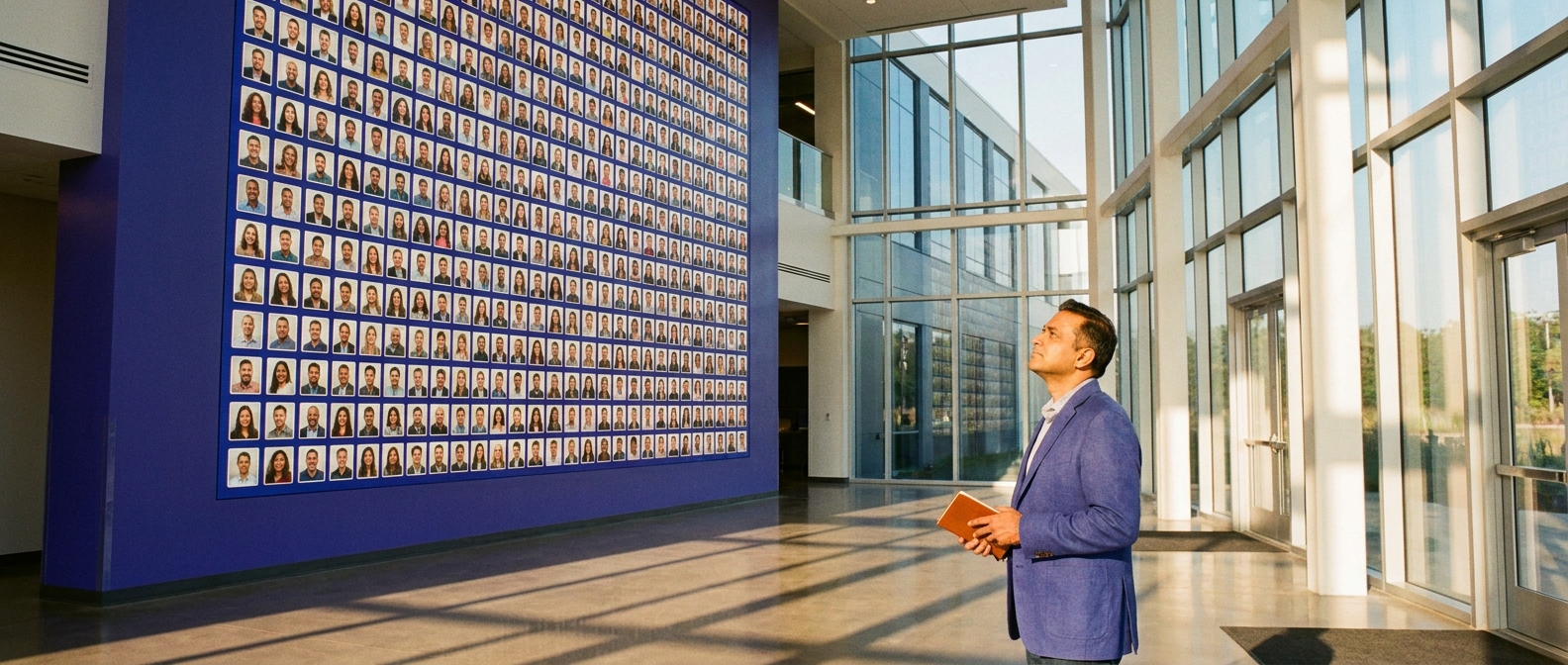
Man in blue blazer holding a notebook, looking up at a wall of work headshots in a sunlit modern office.

A work headshot is the photo your employer, colleagues, and clients see on the company site, the internal directory, your badge, and LinkedIn. What it should look like depends on your workplace register (formal, business casual, or creative). The standard is simple everywhere: current, clear, and consistent with how you show up to work. TeamShotsPro helps employers lock one style so every employee, including remote staff and new hires, gets matching photos from one clear selfie in about 60 seconds per image. Team pricing starts from $29.99 per seat, 8 photos per seat, minimum 2 seats, with a 14-day money-back guarantee on paid plans.

What a professional photo for work is

A professional photo for work is a current head-and-shoulders portrait that still looks like you on a workday. Colleagues, clients, and recruiting tools use it to recognize you on the company site, in proposals, and on LinkedIn. A vacation crop, a wedding photo, or a heavily filtered selfie fails that job. If the picture only works at full size and falls apart as a thumbnail, it is not ready.

The one rule that applies everywhere

Your work headshot has to look like you at work this year. Not you at a wedding five years ago, not a vacation crop, and not a heavily filtered version that surprises people in the first meeting. Recognition is the entire job of the photo: colleagues match the face in the directory to the person in the hallway, and clients match the face in the proposal to the person on the call. Everything else (attire, background, expression) is register.

If recognition fails, the photo is wrong even if lighting is beautiful.

What it should look like, by workplace

Formal workplaces (law, finance, consulting, executive functions): dark blazer or suit, composed expression with a slight smile, neutral studio-style background.

Business-casual workplaces (most of tech, healthcare admin, education, marketing): collared shirt or plain top without a jacket, warmer smile, neutral or softly blurred office background.

Creative workplaces: wider range and personality welcome, but fundamentals hold: clear light on the face, simple background, tight head-and-shoulders crop.

Casual employee headshots still have to be current, well lit, and tightly cropped. Casual means a plain top instead of a jacket, not a party photo. If the rest of the team wears collared shirts, a hoodie reads as the odd one out.

When in doubt, look at the team page you will appear on and match its register. Standing out stylistically on a uniform page reads as a mistake, not a statement.

Where a work headshot actually gets used

The same image typically lands in more places than anyone plans for:

  • Public team page and About page
  • LinkedIn
  • Internal directory and chat avatar
  • Email signature
  • Badge systems
  • Proposal and pitch documents
  • Event and speaker bios
Two practical consequences: crop tight, because most surfaces render the photo small, and keep one current master image. Letting each surface drift to a different photo from a different era is how directories look unmaintained.

Headshots for new employees

New employee headshots should land in the directory the week someone starts, not at the next annual photo day. The photo has to match the rest of the team: same crop, same background family, same workplace register. Waiting months for a photographer visit is how new hires show up with a mismatched selfie. TeamShotsPro is built for that week-one case: one clear selfie per person, about 60 seconds per image, from $29.99 per seat with a 2-seat minimum and 8 photos each, one-time, money-back.

Portraits for networking

A professional portrait for networking is the same master image you use on LinkedIn, a conference badge, and a speaker bio. People you meet at events look you up the same day. If the photo on your profile does not match the person they just met, the connection dies. Keep one current file and reuse it. Do not invent a separate networking look unless your workplace register truly changes between the office and the event.

One company look for your whole team.

Evaluate the quality with 3 test photos on a TeamShotsPro background. Paid seats let you set your company style.

Try it free

Professional profile photos

A professional profile photo is the small circle or square on LinkedIn, Slack, email, and the internal directory. Crop tight, keep the face sharp, and use even light. Busy backgrounds and group shots fail at that size. One current master file should feed every profile, so colleagues are not matching two different faces.

Three ways to get one

1. Employer-organized photography

If your company runs a photo day, use it. Consistency with colleagues comes built in. Limits: timing. New joiners and remote staff wait for the next round, which is often months away.

2. Do it yourself

A phone, indirect daylight, camera at eye level, and a plain wall can produce a serviceable result if you take enough frames. Quality varies by skill and patience.

3. AI generation for individuals or teams

Upload one clear selfie and get professional headshots with attire, lighting, and background handled in the register you choose. For employers, this is also the consistency play: an admin locks one style and every employee, including remote staff and next month's hires, gets a matching photo.

See how company headshots and corporate headshots work for teams, or the headshot cost calculator for all-in team cost vs studio.

How TeamShotsPro fits work headshots

TeamShotsPro is built for workplace rollouts, not solo hobby use:

  • From $29.99 per seat (minimum 2 seats), one-time
  • 8 photos per seat
  • One clear selfie per person (additional sources optional)
  • About 60 seconds per generation
  • Admin invites, brand style lock, completion tracking
  • 14-day money-back guarantee on paid plans
Individuals who only need a personal LinkedIn photo should use Portreya instead. Starter is $4.99 for 2 photos from one selfie in about 60 seconds per image, one-time, with money-back. Companies that need invites and matching style should stay on TeamShotsPro.

For employers: consistency is the actual standard

Headshots for employees are a company asset, not a personal branding side project. The standard is the same photo family on the team page, the directory, and the pitch deck. One mismatched photo on a team page is invisible; twelve are a pattern that reads as disorganization. If staff photos come from different photographers, years, and phone cameras, the fix is not a stern email about photo quality. It is a single locked style everyone generates against, with new hires folded in the week they start.

That is the difference between work headshots as an annual project and work headshots as a solved default.

Practical checklist before you publish

  • [ ] Photo is recent enough that colleagues recognize you immediately
  • [ ] Face is sharp, well lit, and fully visible
  • [ ] Attire matches workplace register
  • [ ] Background is simple at thumbnail size
  • [ ] Same master image used on LinkedIn, directory, and team page
  • [ ] Employers: style locked for the whole team, not one-off freestyle uploads

Next step

If you manage a team that needs consistent work headshots this month, start on TeamShotsPro pricing (from $29.99/seat, min 2 seats, 8 photos each, about 60 seconds per image, one-time, 14-day money-back on paid plans). For the full team workflow, see corporate headshots.

Frequently Asked Questions

How much do team work headshots cost with AI?

TeamShotsPro starts from $29.99 per seat with a 2-seat minimum and 8 photos per seat. Larger teams pay less per seat under graduated pricing.

Can I use my work headshot on LinkedIn?

Yes. One current photo across the company site, LinkedIn, and internal tools is the goal for recognition.

Do employers provide work headshots?

Many do via photo days or a headshot platform. If not, a clear phone photo or AI headshot from one selfie covers directory and LinkedIn standards.

What is a professional photo for work?

A professional photo for work is a current head-and-shoulders portrait that still looks like you on a workday. It has even light, a simple background, and a crop that holds up as a thumbnail on the company site, LinkedIn, and the internal directory.

How do I get headshots for new employees?

Do not wait for the next photo day. Send the new hire the same locked style the rest of the team already uses. Each image takes about 60 seconds to generate after upload; publish the approved result the week they start. TeamShotsPro starts at $29.99 per seat with a 2-seat minimum and 8 photos each, one-time, money-back.

Can employees use a casual headshot at work?

Yes, if casual matches the workplace register. Casual means a plain top and a calm expression, not a party photo or a hoodie on a collared-shirt team. The photo still has to be current, well lit, and tightly cropped.

What should a professional portrait for networking look like?

Use the same current master image you already use at work. People you meet at events look you up the same day, so the LinkedIn photo, badge, and speaker bio should show one face. A separate networking look only helps if your workplace register truly changes at the event.

How do I take a professional profile photo?

Face a large window, put the camera at eye level, use the rear lens with a timer, and frame head and shoulders. Crop tight so the face stays readable as a small circle. If it still looks like a handheld selfie after many takes, generate options from one clear selfie instead.

What should I wear for a work headshot?

Match your workplace register, one step more polished than your daily norm: a dark blazer in formal fields, a clean collared shirt or plain top in business-casual ones, whatever is authentic in creative ones. Solid colors that contrast with the background always work. Busy patterns never do.

How often should a work headshot be updated?

Whenever your appearance changes enough that recognition slips, and otherwise every couple of years. Employers using a locked style can refresh individual photos one at a time, with each image taking about 60 seconds, which removes the usual reason updates never happen.

Is AI good enough for client-facing roles?

For most knowledge-worker and client-facing digital profiles, yes when the selfie is solid and you pick a natural result. For magazine-grade executive press, many teams still book a photographer for a small hero set and use AI for everyone else.

A few minutesper generated photo

Ready to get started with TeamShotsPro?

Give every new hire a photo that fits the team. Keep one professional presence across your directory, LinkedIn and website.

Try it free
Matthieu van Haperen

About the Author

Founder & CEO, TeamShotsPro

Matthieu van Haperen runs TeamShotsPro and writes about professional photography, team branding, and practical ways distributed teams can keep employee imagery consistent.

Connect on LinkedIn