Employee Headshot Policy: Standards and a Template

MH
Matthieu van HaperenFounder & CEO, TeamShotsPro · Updated Sep 2026

TL;DR: Quick Answer

A headshot policy answers five questions: style standard, consent and usage, update triggers, new-hire onboarding, exceptions. One page suffices.

Standardize the frame, not the person. Default to voluntary participation, a neutral alternative, and no workplace disadvantage for declining unless a role-specific requirement is confirmed.

Trigger-based updates (appearance change, role change, 2-3 year backstop) beat calendar cycles.

Offer new hires the one-selfie workflow after explaining the upload lifecycle, intended uses, provider access, and alternatives; do not bundle it into onboarding.

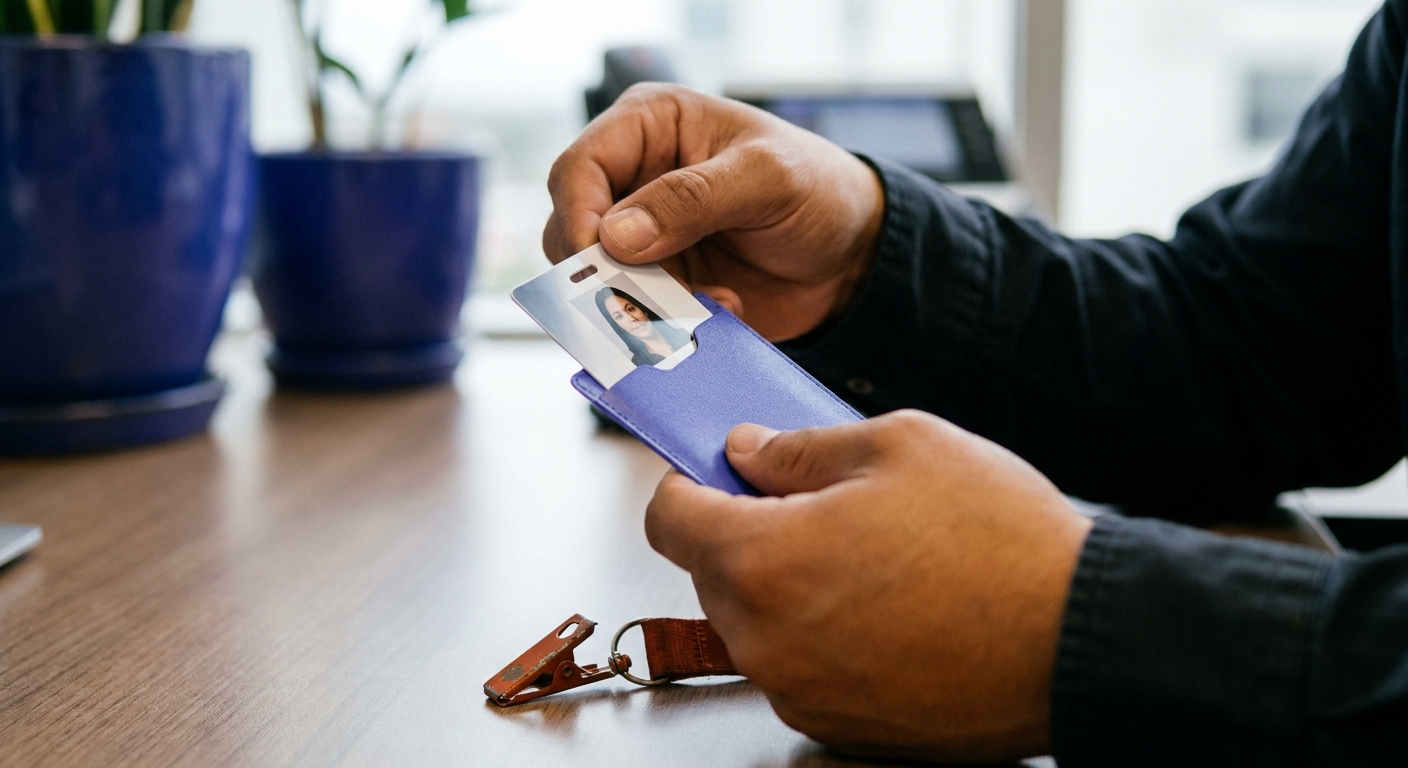
Close-up of a person's hands in a black shirt, holding an employee ID card with a woman's headshot in a purple holder.

An employee headshot policy answers five questions: what the photos look like, who they belong to and where they may be used, when they get updated, how new hires get one, and who owns exceptions. Most companies need one page, not a handbook chapter.

New TeamShotsPro accounts currently receive 3 branded test photos for quality evaluation. Paid seats include 8 photos and use the current published pricing. After a new hire uploads one selfie, each image takes about 60 seconds to generate; directory timing depends on review and publication.

This page is for people who run photos for a company. If you only need your own portrait, start with Portreya.

For the rollout behind the policy, see the company headshots guide. For budgeting, see the cost breakdown.

What to standardize, and what to leave alone

Standardize the frame, not the person: background, crop, lighting style, and formality register. That is what makes a directory look coherent. Leave individual expression, grooming, and appearance alone beyond ordinary workplace norms; policies that reach past the frame into how people look generate friction and, in some jurisdictions, legal exposure. The practical test: two photos taken a year apart under your policy should look like they belong to the same company, not like the same person.

An identifiable employee photo is personal data in many jurisdictions. The policy should explain where photos may appear (directory, website, proposals, social), the purpose and legal basis for each use, and what happens at offboarding. Do not treat clicking upload as automatic proof of valid consent. Unless a role-specific requirement has been confirmed with qualified advice, make participation voluntary, offer an initials or neutral-avatar alternative, and ensure that declining does not create a workplace disadvantage. Handle public-facing use separately from internal use.

Selecting or capturing an image may upload, store, and analyze it before the review or approval step is complete.

Update triggers and cadence

Calendar-based refresh cycles fail quietly: the photo day gets postponed and the directory ages. Trigger-based policies work better: update when appearance changes materially (recognition is the standard), on role changes that alter where the photo appears, and at a maximum age (two to three years) as the backstop. The policy should make updates cheap to request, because the expensive part of stale directories is usually process friction, not employee reluctance.

One company look for your whole team.

Evaluate the quality with 3 test photos on a TeamShotsPro background. Paid seats let you set your company style.

Try it free

New hires and the consistency problem

The policy should explain how someone who joins after photo day can obtain a matching photo without turning onboarding into forced participation. Offer the AI generation option after explaining what will be uploaded, who may process it, where the output may appear, and which alternative is available. A new hire who voluntarily chooses the workflow can upload one clear selfie. Each image takes about 60 seconds to generate; directory publication follows the employee's review and approval under the policy.

A one-page template

Purpose: consistent, current professional photos across [directory, website, proposals]. Style standard: [background, crop, register], maintained centrally. Participation: voluntary unless a role-specific requirement has been confirmed; declining carries no workplace disadvantage and [initials/neutral avatar] is available. Notice and choice: each use is explained separately and is not bundled into onboarding. Updates: offered after a material appearance or role change and every [2-3] years as a reminder. New hires: may choose the headshot process after receiving the notice and alternatives. Offboarding: public-removal owner and target window [owner/window]. Exceptions: [owner/role] decides. Adapt the brackets, keep it to a page, and link it from onboarding. For rollout mechanics, see the company headshots guide; for budgeting, see the cost breakdown.

Frequently Asked Questions

Can an employer require employee headshots?

Do not assume a headshot can be required. The answer depends on the role, jurisdiction, employment terms, purpose, and available accommodation. A conservative default is voluntary participation, a neutral alternative, and no workplace disadvantage for declining; obtain qualified advice before making a photo mandatory.

Do employee photos fall under GDPR?

An identifiable employee photo is personal data. The organization should document the purpose and applicable legal basis, explain recipients and retention, and handle public use separately. An upload action alone should not be presented as proof of valid consent.

How often should company headshots be updated?

On recognition-breaking appearance changes, role changes affecting where the photo appears, and a two-to-three-year backstop. Trigger-based beats calendar-based because it tracks reality instead of scheduling.

How do new hires get matching headshots?

Offer the matching-headshot workflow after explaining the upload lifecycle, intended uses, provider access, and alternatives. A new hire who voluntarily chooses it can upload one clear selfie. Each image takes about 60 seconds to generate; directory publication depends on the employee’s choice, review, and approval under the policy. Record the approved use so future updates follow the same consent decision.

A few minutesper generated photo

Ready to get started with TeamShotsPro?

Give every new hire a photo that fits the team. Keep one professional presence across your directory, LinkedIn and website.

Try it free
Matthieu van Haperen

About the Author

Founder & CEO, TeamShotsPro

Matthieu van Haperen runs TeamShotsPro and writes about professional photography, team branding, and practical ways distributed teams can keep employee imagery consistent.

Connect on LinkedIn