How Do AI Headshots Work? The Process Behind Selfie-to-Headshot in 60 Seconds
Matthieu van Haperen
Founder & CEO, TeamShotsPro · Updated Mar 2026
TL;DR: Quick Answer
AI headshots analyze your facial features from selfies, then generate new professional portraits that preserve your identity while applying a chosen style.
Output quality depends on input quality. Good lighting and clear facial visibility matter more than camera price.
The process involves face analysis, style application, image generation, and variant selection.
Common weak spots include accessories (glasses, jewelry), hair edges, and occasional likeness variation.
Teams get the best results when they lock one style preset and review outputs centrally before publishing.
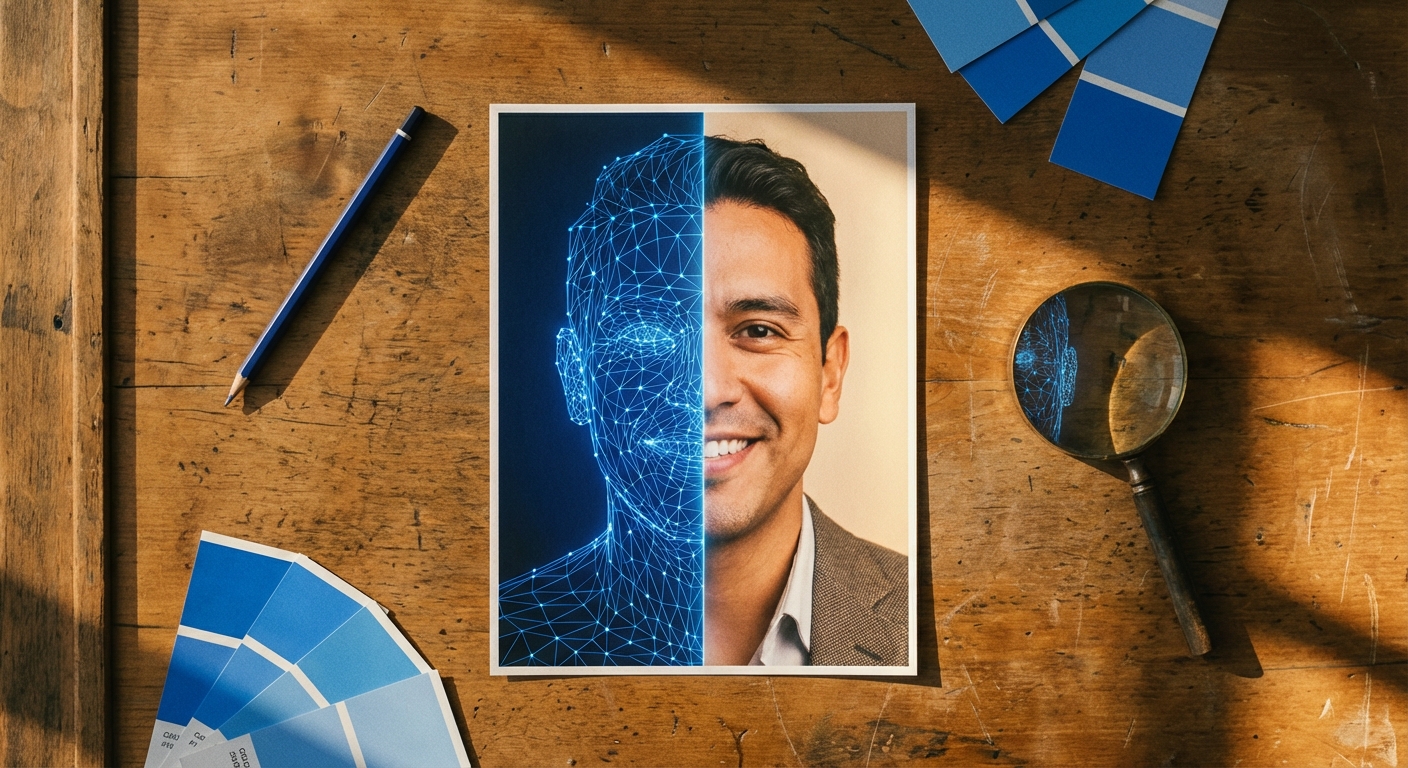
From the outside, AI headshots look simple: upload a selfie, get professional photos. But understanding what happens between upload and output helps you predict quality, avoid common mistakes, and decide whether AI headshots are right for your team.
This guide explains the process in plain language: what the technology does at each stage, where it performs well, and where human review still matters.
TL;DR
- AI headshots analyze your facial features from selfies, then generate new professional portraits that preserve your identity while applying a chosen style.
- Better input photos produce better headshots. Good lighting and clear facial visibility matter more than camera price.
- The process involves face analysis, style application, image generation, and variant selection.
- Common weak spots include accessories (glasses, jewelry), hair edges, and occasional likeness variation between outputs.
- Teams get the best results when they lock one style preset and review outputs centrally before publishing.
What an AI Headshot Generator Actually Does
An AI headshot tool isn't applying a filter to your selfie. It's generating an entirely new image.
Here's what the system does, step by step:
1. Detects and analyzes your facial structure from the input photos. 2. Interprets style instructions like background, attire, expression, and lighting. 3. Generates new portraits that preserve your identity while applying the requested style. 4. Returns multiple variants so you can select the best result.
The output is a synthesized portrait, not an edited version of the original selfie. That distinction matters for understanding both the strengths (full style control, consistency at scale) and the limitations (occasional artifacts in fine details).
The 6 Stages: From Selfie to Professional Headshot
Stage 1: Input Capture
You upload one or more source photos. For team workflows, this usually happens through email invites. Each person uploads their own selfies on their own time.
What the system needs from your input:
- Clear face visibility. Both eyes visible, no obstructions.
- Balanced lighting. Natural light works well; avoid heavy shadows.
- Minimal blur. Hold the camera steady, no motion.
- Neutral camera angle. Eye level, straight on.
Stage 2: Face and Feature Analysis
The system maps your facial geometry: eye spacing, nose structure, jawline, mouth shape, and hairline boundaries. This creates an identity profile that the generation stage uses to make sure the output actually looks like you.
This is why input quality matters so much. If this stage receives poor inputs (shadows across the face, motion blur, sunglasses, or hair covering key features), the identity profile is less accurate and likeness quality drops in the final output.
Stage 3: Style Application
The system applies your style instructions: background type, clothing direction, pose and framing, expression, and lighting profile.
For individual users, this is where creative preferences get applied. For teams, this is where consistency happens. A locked style preset means every team member receives the same visual treatment (same background, same lighting, same framing) regardless of when they upload or what their original selfie looks like.
Stage 4: Image Generation
This is the core AI step. A generative model creates new portraits by combining your identity profile with the style conditions.
The output is generated from scratch, not edited pixel by pixel from your original photo. That's why the technology can place you in a completely different outfit, background, and lighting setup than your selfie. But it's also why artifacts can appear in challenging areas like jewelry reflections, glasses frames, and detailed hair edges.
Stage 5: Variant Selection
The system returns multiple options per generation, typically 3 to 4 variations. Each variant has subtle differences in expression, framing, and detail rendering.
Variants exist for a practical reason. If one output has a minor artifact or the expression feels slightly off, you have alternatives to choose from without regenerating. For team workflows, the review owner picks the best variant for each person.
Stage 6: Quality Checks and Delivery
Before showing you the final results, the system scores each output. Low-quality generations get filtered automatically, so you only see variants worth reviewing. The end result: downloadable professional portraits, ready in 60 seconds.
What Affects Output Quality (and What Does Not)
AI headshot quality isn't random. It follows predictable patterns based on a few key factors.
Input lighting is the biggest lever. Good natural light improves face detection accuracy and texture quality. Poor lighting causes tone inconsistency, flattened features, and higher retry rates. You don't need an expensive camera. A recent smartphone in good light produces better results than a professional camera in a dim room. Facial visibility matters more than you'd expect. Heavy occlusions like hands near the face, hair across the eyes, or extreme camera angles reduce how accurately the system maps your identity. The result is weaker likeness in the output. Conservative styles are more consistent. Professional backgrounds, standard business attire, and neutral expressions render more reliably than complex cinematic setups. For teams, this works in your favor. The professional look you want is also the look AI handles best. Accessories remain the hardest category. Glasses (especially reflective lenses), metallic jewelry, and fine-detail earrings are the most common sources of artifacts in current generation systems. If an output has an issue, it's usually in one of these areas. Team governance determines team quality. Even strong AI output looks inconsistent when every person picks different settings. A locked preset and centralized review are what turn individual headshots into a cohesive team presence.For team quality control practices, see Professional Team Headshots in 2026.
Professional headshots from $10.49
Upload a selfie. Get studio-quality headshots in 60 seconds.
Upload a Selfie → Get Team HeadshotsWhat Artifacts to Expect (and How to Handle Them)
Current AI headshot systems produce professional-quality output in most generations. But no system is perfect every time. Here's what to watch for:
- Hair-background edges. Slight blending or unnatural transition where hair meets the backdrop.
- Glasses and jewelry. Asymmetry, missing detail, or reflections that look slightly off.
- Over-smoothed skin. Loss of natural texture, especially noticeable in close-up views.
- Expression variation. One variant may nail the requested tone while another feels slightly different.
- Likeness drift. One of several variants may look less like the person than the others.
For real before-and-after examples, see AI Headshot Before and After Results.
AI Headshots vs. Traditional Photography: The Technical Difference
Traditional photography captures one physical setup: real lighting, real background, real clothing. AI headshots synthesize a new setup from input photos. That fundamental difference creates distinct tradeoffs:
| Dimension | Traditional Studio | AI Headshots |
|---|---|---|
| Capture method | Physical camera in controlled environment | Generated from selfie inputs |
| Speed | Session + editing (days to weeks) | 60 seconds |
| Consistency across a team | Depends on photographer and location | Built-in with locked preset |
| Reruns and edits | Requires new session | Immediate, same preset |
| Cost per person | $100–$300+ per person | $10.49–$29.99 per seat |
For a complete buying framework, see AI Headshots vs Photographer. For a broader overview of AI headshot technology, platforms, and use cases, see our AI Professional Headshots Guide.
Privacy and Security: What to Evaluate
AI headshots are also a data workflow. Before rolling out across your team, evaluate:
- Data retention. How long are input photos and outputs stored?
- Access controls. Who can view team member photos within the platform?
- Processing boundaries. Where is data processed and stored?
- Deletion policy. Can you request deletion of all inputs and outputs?
FAQ
Do AI headshots use filters or generate new photos?
They generate new images. The system creates a fresh portrait based on your facial identity and style settings. It doesn't apply effects to your original selfie.
Why do good selfies produce better headshots?
Because the face analysis stage is more accurate when lighting is even and facial features are clearly visible. Better identity mapping leads to stronger likeness in the output.
Can AI headshots keep a whole team visually consistent?
Yes, when the team uses a locked style preset (same background, lighting, framing for everyone) and a centralized review process before publishing.
How many input photos should each person upload?
At least 2 clear selfies. More high-quality inputs give the system more data to work with, which improves likeness accuracy.
Are AI headshots perfect every time?
No. Most generations produce professional-quality results, but occasional artifacts can appear, especially around glasses, jewelry, and hair edges. That's why variant selection and centralized review are part of the recommended workflow.
Now You Know the Process
AI headshots work by combining facial identity analysis, style conditioning, and rapid image synthesis into one repeatable workflow.
The technology is strong enough for professional use today. Quality comes down to two things: good input photos and good process. For teams, that means clear selfie instructions, a locked style preset, centralized QA, and consistent distribution across every channel where your team appears.
Professional headshots from $10.49/person Now that you know how it works, see the results for yourself. 60 seconds from selfie to headshot. Try It With Your Team ->
Frequently Asked Questions
Do AI headshots use filters or generate new photos?▼
They generate new images. The system creates a fresh portrait conditioned on your facial identity and style settings — it does not apply effects to your original selfie.
Why do good selfies produce better headshots?▼
Because the face analysis stage is more accurate when lighting is even and facial features are clearly visible. Better identity mapping leads to stronger likeness in the output.
Can AI headshots keep a whole team visually consistent?▼
Yes, when the team uses a locked style preset and a centralized review process before publishing.
How many input photos should each person upload?▼
At least 2 clear selfies is the minimum. More high-quality inputs give the system more data to work with, which generally improves likeness accuracy.
Are AI headshots perfect every time?▼
No. Most generations produce professional-quality results, but occasional artifacts can appear. That is why variant selection and centralized review are part of the recommended workflow.
Ready to get started with TeamShotsPro?
Generate professional AI headshots in 60 seconds.
Upload a Selfie → Get Team Headshots
About the Author
Founder & CEO, TeamShotsPro
Matthieu van Haperen runs TeamShotsPro, where he has helped hundreds of teams get professional AI headshots. Before founding TeamShotsPro, he spent 6+ years building and scaling tech startups. He writes about professional photography, team branding, and how AI is reshaping corporate imagery.
Connect on LinkedIn →